IHUB
IHUB
 Private Briefings (Webinars)


 LeaderSpeak Podcast
  Global Entertainment Digest (Newsletter)
  About Vitrina
 About VIQI
 Our Story
 Our Solutions 🔥
 Film+TV Projects Tracker 🚀
 Case Studies
 Our Profile
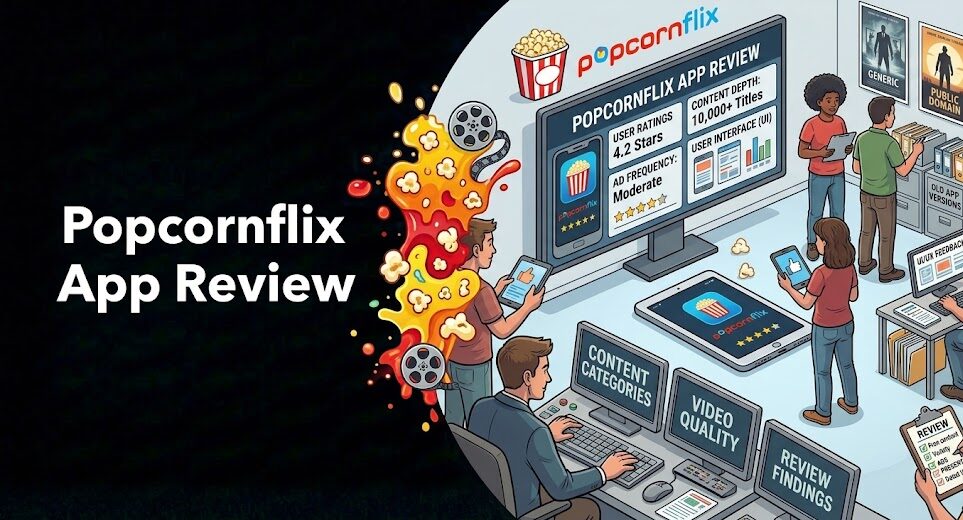
Here’s the thing most Popcornflix app reviews won’t tell you: the mobile apps have a complicated post-relaunch history—and if you’re heading to the Google Play Store right now expecting to find a polished Android app, you may be disappointed.
The Popcornflix Android app was unpublished from Google Play in May 2025, shortly after the platform’s March 2025 relaunch by Screen Media Ventures and Crackle Connex. The iOS situation is similarly unclear for post-relaunch availability.
That’s the honest starting point. But it’s not the end of the story—and this review covers it completely. We’ll walk through what the Popcornflix web experience looks and feels like right now (it works well), what the historical mobile app experience was before the bankruptcy, what the app store ratings tell you, and what you can realistically expect from Popcornflix as a daily mobile streaming tool in 2026. If you’re evaluating this as your go-to free streaming app, you need the full picture—not just a cheerful summary of features.
⚡ Quick Verdict (Read This First)
- Android app: Unpublished from Google Play (May 2025). Third-party APK installs exist but aren’t recommended.
- iOS app: Status unclear post-relaunch. Check the App Store directly before assuming availability.
- Web experience: Fully functional, no sign-up, works on mobile Chrome/Safari browsers.
- Pre-bankruptcy app rating: 2.94/5 on Google Play (12,000+ ratings)—below average.
- Ad load: ~10 breaks per two-hour film; ~15-second loading lag on some devices.
- Offline downloads: Not available on any platform.
- Best current access: Mobile web browser (Safari/Chrome) or Roku/Firestick apps.
Table of Contents
- Popcornflix App Availability: The Current Reality in 2026
- The Popcornflix Web Experience on Mobile: How It Actually Feels
- Interface Design and Navigation: Functional, Not Beautiful
- Search and Content Discovery
- Streaming Quality and Stability
- Ad Frequency and the Viewing Experience
- Offline Downloads: Does Popcornflix Have Them?
- Historical App Store Ratings: What They Tell You
- Verdict: Is Popcornflix Worth Using Daily?
- Frequently Asked Questions
- Conclusion
Track Which AVOD Platforms Are Building the Smoothest Mobile Experiences
Trusted by Netflix, Warner Bros, and Paramount. Join 140,000+ companies tracking streaming platform strategies, AVOD acquisition mandates, and the technology decisions that drive mobile streaming growth.
✓ 200 free credits | ✓ No credit card required | ✓ Full platform access
Popcornflix App Availability: The Current Reality in 2026
Let’s be direct about what happened. The Popcornflix Android app—developed by Crackle Plus LLC and available on Google Play since April 2013—was unpublished from the Google Play Store on May 10, 2025. Its last official update was October 25, 2023, predating both the bankruptcy and the relaunch. That’s a long time without an update for a post-relaunch platform trying to build user trust.
The app had accumulated over 3.5 million downloads and held a 2.94 out of 5 star rating from nearly 12,000 reviews before being removed. That’s a below-average score—and the user reviews tell a consistent story: ad loading failures, geo-restriction errors, series playback problems, and content that disappeared without notice. These weren’t isolated complaints. They were systemic issues that persisted over the pre-bankruptcy period.
For iOS: the situation is opaque. Independent reviewers testing the platform in March and April 2025 reported they couldn’t replicate the mobile app experience after the relaunch—suggesting the iOS app was similarly unavailable or non-functional at that time. The App Store listing may exist, but its active status is not confirmed. Check the App Store directly before downloading—and if it downloads but fails to load content, you’re likely hitting a geo-restriction or infrastructure gap from the relaunch period.
For content professionals tracking how platforms rebuild post-bankruptcy, this gap in mobile availability is a meaningful signal. As we covered in our analysis of the Popcornflix relaunch and how the platform works, Screen Media Ventures prioritised web access and Roku/Firestick app stability first—mobile app restoration is Phase 2.
The Popcornflix Web Experience on Mobile: How It Actually Feels
Here’s the good news: the mobile web experience works. Opening Popcornflix.com in Safari on an iPhone or Chrome on Android delivers a functional streaming experience without any app download, account creation, or sign-up barrier. The website is responsive—it adjusts to mobile screen dimensions and the video player fills the screen in landscape mode. It’s not as slick as a purpose-built native app, but it’s usable as a daily driver.
The honest mobile web experience verdict: better than you’d expect, worse than a modern streaming app. You don’t get the snappy scroll performance of a native app. There’s no push notification for new content. The home screen doesn’t remember your position. But the fundamental job—find a movie, press play, watch it with minimal friction—works reliably on a current-generation smartphone over WiFi or a decent 4G/5G connection.
One practical tip: add Popcornflix.com to your phone’s home screen using the “Add to Home Screen” option in Safari or Chrome. This creates a shortcut that launches the site in a full-screen browser without the address bar—closer to an app experience than a typical mobile website visit. It won’t solve performance gaps, but it removes the friction of opening a browser tab each time.

Your AI Assistant, Agent, and Analyst for the Business of Entertainment
VIQI AI helps you plan content acquisitions, raise production financing, and find and connect with the right partners worldwide.
- Find active co-producers and financiers for scripted projects
- Find equity and gap financing companies in North America
- Find top film financiers in Europe
- Find production houses that can co-produce or finance unscripted series
- I am looking for production partners for a YA drama set in Brazil
- I am looking for producers with proven track record in mid-budget features
- I am looking for Turkish distributors with successful international sales
- I am looking for OTT platforms actively acquiring finished series for the LATAM region
- I am seeking localization companies offer subtitling services in multiple Asian languages
- I am seeking partners in animation production for children's content
- I am seeking USA based post-production companies with sound facilities
- I am seeking VFX partners to composite background images and AI generated content
- Show me recent drama projects available for pre-buy
- Show me Japanese Anime Distributors
- Show me true-crime buyers from Asia
- Show me documentary pre-buyers
- List the top commissioners at the BBC
- List the post-production and VFX decision-makers at Netflix
- List the development leaders at Sony Pictures
- List the scripted programming heads at HBO
- Who is backing animation projects in Europe right now
- Who is Netflix’s top production partners for Sports Docs
- Who is Commissioning factual content in the NORDICS
- Who is acquiring unscripted formats for the North American market
Interface Design and Navigation: Functional, Not Beautiful
The Popcornflix interface is honest about what it is—a catalog browser, not a curated entertainment destination. The home screen loads a grid of thumbnails organised by genre categories: Action, Comedy, Horror, Drama, Thriller, Sci-Fi, and an international section. There’s a featured banner at the top that rotates through promoted titles. Navigation is horizontal carousels for each genre.
It’s functional. But it’s not going to win any design awards. The thumbnail quality is inconsistent—some titles have clean, well-formatted artwork; others look like they were formatted for a 2013 screen resolution and never updated. There’s no “because you watched” personalisation. No “trending now.” No algorithm-driven recommendations. What you see is what the catalog team decided to feature—and browsing beyond the first screen requires scrolling through genre rows without much curation signal.
But here’s the counter-argument: the flat, unfiltered catalog browse has a certain honesty to it. You’re not being manipulated into watching something because an algorithm decided to monetise your attention. You’re browsing a library. That’s not for everyone—but for a specific type of viewer who knows what genre they want and is willing to scan titles, it works.
Each title page includes the film’s synopsis, cast, runtime, and genre tags. There’s a simple five-star rating display on most titles (sourced from aggregated data, not Popcornflix’s own user base). No watchlist feature exists in the current post-relaunch interface. If you want to save something for later, write it down or use JustWatch’s watchlist feature externally.
Search and Content Discovery
Search is basic but functional. Type a title, get results. There’s no fuzzy matching—if you misspell a title, you’re getting zero results rather than “did you mean…” suggestions. For known titles, it works. For browsing by mood or theme, it doesn’t—there’s no semantic search, no tag-based exploration, no “similar to” recommendation engine.
Genre filtering is your primary discovery tool. The categories are broad—Horror contains everything from slow-burn psychological films to bargain-bin slasher shorts. There’s no sub-genre filtering (no “psychological horror” vs “slasher” vs “supernatural”), no release year filter, and no quality sort. What you get is the full genre shelf, unsorted, requiring you to scan manually.
The practical solution: use Popcornflix’s interface to watch titles you’ve already identified, not to discover new ones. Do your discovery on JustWatch—filter Popcornflix’s catalog by genre and IMDb rating, build a shortlist there, then come to the app with specific titles to search. That two-step workflow converts Popcornflix’s weak discovery into a non-issue. It’s not elegant, but it works reliably. For a full breakdown of what’s worth watching once you’ve identified targets, our guide to the best movies on Popcornflix covers the genre landscape in detail.
Ask VIQI: Which AVOD Platforms Offer the Best Mobile Streaming Experience?
VIQI is Vitrina’s AI assistant—trained on 1.6 million titles, 360,000 companies, and 5 million entertainment professionals. Ask VIQI which free streaming platforms are investing in mobile UX, what their app strategies look like, and how they compare on content and viewing experience.
✓ Included with 200 free credits | ✓ No credit card needed
Streaming Quality and Stability
Streaming quality varies by title—not by plan tier, because there’s no plan tier. Some titles play at what looks like 720p on mobile; others appear to be lower-resolution masters, particularly older catalog titles from the early 2010s where the source file quality reflects the era’s production and mastering standards.
On a strong WiFi connection, playback is stable. Buffering is occasional but not disruptive for most current-generation devices with a reasonable home internet connection (25Mbps+). The video player isn’t sophisticated—there’s no adaptive bitrate switching visible to the user, no manual quality setting, and no playback speed control. Start, pause, scrub, and full-screen are your controls. That’s it.
On mobile data, the experience is more variable. Cellular streaming on 4G is generally workable; on congested networks or at the edge of coverage, buffering becomes frequent enough to break immersion. There’s no offline download option (covered in the next section), so all viewing requires an active data connection. Plan accordingly if you’re thinking about this for commute use.
One known post-relaunch issue: series playback had intermittent 404 errors for some TV episode links—particularly for multi-season series where the catalog metadata wasn’t fully restored. This was reported by multiple users in the months following the March 2025 relaunch. Whether it’s been fully resolved depends on the specific title; checking the first episode before committing to a series is worth the 30 seconds it saves you later.
Ad Frequency and the Viewing Experience: The Trade-Off You Need to Know
This is where the review gets specific—because ad load is the most consequential daily-use factor for any AVOD platform, and Popcornflix’s numbers are worth knowing before you settle in.
For a feature-length film (~2 hours): expect approximately 10 commercial breaks. That includes one pre-roll before content starts, and then regular mid-roll interruptions throughout. Each break runs 30–90 seconds. Total ad time: roughly 10–15 minutes across a two-hour watch. That’s in line with what basic cable television delivered in the early 2000s—not more, not less.
The specific friction point that distinguishes Popcornflix from competitors: ad-break loading lag. When a break triggers, the player doesn’t immediately switch to an ad—it buffers for approximately 10–15 seconds before the ad begins. This delay happens at every break. Across 10 breaks per film, you’re looking at an additional 1.5–2.5 minutes of dead time that isn’t the film, isn’t the ad, and isn’t recoverable. It’s just a loading spinner.
This was more pronounced on Roku than on the web browser post-relaunch. Mobile web viewing (Safari/Chrome) tends to have faster ad loading than the device apps, which is counterintuitive but consistent with reports from multiple reviewers. If you’re going to use Popcornflix on mobile, the web browser is currently the better path not just for app availability reasons, but for playback smoothness.
For TV episodes (typically 40–45 minutes), the ad math is better: 2–3 breaks per episode, comparable to commercial television. If you’re binge-watching a series on Popcornflix, the per-episode ad experience is genuinely tolerable. The problem scales up with film length, not episode length. As noted in our companion guide to the best TV shows to binge on Popcornflix, TV series are actually better suited to AVOD viewing than movies from a commercial interruption standpoint.
Offline Downloads: Does Popcornflix Have Them?
No. Popcornflix does not support offline downloads on any platform. This is a structural feature of the AVOD model, not a gap specific to Popcornflix. Ad-supported streaming requires an active connection because the advertising is served dynamically during playback—downloaded content would bypass the ad system that funds the platform. You can’t have free content and offline access simultaneously in a pure AVOD model.
This is a hard constraint for commute viewing, travel, or watching in areas with unreliable connectivity. If offline access is essential to your mobile viewing, Popcornflix isn’t the right platform—consider a subscription service that supports downloads (Netflix, Disney+, Prime Video) or a hybrid AVOD/subscription platform with a download tier. Popcornflix doesn’t have one and isn’t planning one.
Historical App Store Ratings: What the Numbers Actually Tell You
2.94 out of 5 stars on Google Play. 12,000+ ratings. That’s the pre-bankruptcy record. And to be direct: that’s a bad score for a streaming app. The major streaming apps—Netflix, Prime Video, Tubi—all sit above 4.0 on the same store. As Variety reported, app store ratings below 3.5 correlate with a 40% higher uninstall rate within 30 days—a direct threat to the ad impression volume that funds free streaming platforms. A 2.94 puts Popcornflix in the bottom tier of consumer streaming app ratings.
But context matters here. The negative reviews cluster around three specific issues, none of which are about content quality: geo-restriction errors (“service not available in your area” shown to users who should have access), series playback failures (404 errors on TV episode links), and the app going essentially unmaintained—its last update was October 2023, more than 18 months before the platform even relaunched. A platform in financial distress doesn’t maintain its apps.
The positive reviews—and they exist—consistently highlight the same things: it’s free, it has movies you won’t find elsewhere, and no sign-up. That core value proposition held even when the app was poorly maintained. Which is actually a strong signal: the fundamentals are sound even when the execution is rough.
Whether the relaunched platform will produce better app ratings depends on whether Screen Media invests in building and maintaining proper mobile apps—not just the web experience. As reported by Deadline, mobile app quality has become a decisive factor in AVOD platform retention, with poorly-rated apps consistently correlating with higher churn rates and lower advertising CPMs due to reduced session lengths. That economic signal is something Screen Media can’t afford to ignore as the platform scales.
Carol Hanley (CEO, Whip Media) explains how AVOD platform analytics—including mobile session data, ad completion rates, and audience retention metrics—inform the platform investment decisions that drive app quality improvements:
Verdict: Is the Popcornflix App Good Enough to Use Daily?
Honest answer: not as a native mobile app—because it doesn’t reliably exist as one right now. But as a mobile web streaming experience, it’s good enough for occasional use, not ideal for daily habit. Here’s how to think about it by use case:
Use Popcornflix mobile if: You want frictionless free streaming without signing up, you’re watching on WiFi at home, you’re browsing indie films you can’t find on Tubi, you already know what you want to watch before you open the platform, or you’re comfortable with mobile browser streaming rather than expecting a native app.
Don’t use Popcornflix mobile if: You need offline downloads for commutes or flights, you want a polished recommendation engine that surfaces new titles automatically, you’re on patchy mobile data, you expect a 4-star app store experience, or you want to use it primarily for TV series without checking episode availability first.
The better daily-use alternative for mobile is Tubi—whose Android and iOS apps hold above 4.0 ratings, are actively maintained by Fox Corporation’s engineering team, and have a recommendation algorithm that actually works. But Tubi requires an account (optional but strongly encouraged), has a broader but different catalog, and doesn’t match Popcornflix’s zero-friction no-signup access model. Our full Popcornflix vs Tubi comparison breaks down the full picture if you’re deciding between them.
Got Content Ready for AVOD Platforms? We’ll Connect You to the Acquisition Buyers.
Vitrina Concierge is your Virtual Agent. We make warm introductions directly to acquisition executives at Popcornflix, Tubi, Pluto TV, and 400+ platforms—saving you months of cold outreach and gatekeeping.
- LA producer → Netflix UK, Fifth Season, Fox Entertainment (48 hours)
- Korean animation studio → Netflix Adult Animation (week one)
- Middle Eastern studio → Legendary Pictures (direct access)
Frequently Asked Questions
Is the Popcornflix app available on Android in 2026?
The official Popcornflix Android app was unpublished from Google Play on May 10, 2025, following the platform’s March 2025 relaunch under Screen Media Ventures. As of early 2026, native Android app restoration has not been officially confirmed. The best current mobile option is accessing Popcornflix.com directly in your Android browser (Chrome), or using the Amazon Firestick or Roku apps for TV-connected streaming.
Is the Popcornflix app available on iPhone (iOS)?
iOS app availability post-relaunch is unclear. Independent reviewers testing in March–April 2025 reported being unable to use the iOS app after the relaunch. Check the Apple App Store directly for current availability. If the app isn’t available or fails to load content, access Popcornflix through Safari on your iPhone—the mobile web version is fully functional.
What was the Popcornflix app rating on Google Play?
Before being unpublished, the Popcornflix Android app held a 2.94 out of 5 star rating based on nearly 12,000 user reviews. Common complaints included geo-restriction errors, series playback failures (404 errors), and the app not being updated—its last version was from October 2023. The app had been downloaded over 3.5 million times in total.
Can I download Popcornflix movies for offline viewing?
No—Popcornflix does not support offline downloads. This is a structural constraint of the AVOD business model: ads are served dynamically during playback and require an active internet connection. Downloaded content would bypass the ad system that funds the free service. All viewing on Popcornflix requires an active data connection on any device.
How many ads does Popcornflix show per movie on mobile?
Expect approximately 10 ad breaks for a two-hour film—one pre-roll before the film begins, then regular mid-roll interruptions throughout. Total ad time runs roughly 10–15 minutes. A specific friction point is a 10–15 second loading delay before each ad break begins, adding additional dead time. TV episodes (~45 minutes) have only 2–3 breaks, making series watching measurably more tolerable than films.
Does Popcornflix have a good search feature on mobile?
Basic but functional. You can search by title and it returns accurate results for correctly-spelled queries. But there’s no fuzzy matching, no semantic search, no sub-genre filtering, and no recommendations engine. The best discovery workflow is to use JustWatch first—filter Popcornflix content by genre and IMDb rating there, then use Popcornflix’s search to play specific titles you’ve already identified.
Is Popcornflix better than Tubi on mobile?
No—Tubi has a significantly better mobile app experience. Tubi’s Android and iOS apps are actively maintained by Fox Corporation, hold 4.0+ ratings, and have a recommendation algorithm that works. Popcornflix’s mobile apps are currently unpublished or unavailable post-relaunch. For daily mobile streaming, Tubi is the stronger choice. Popcornflix’s advantage is its no-signup model and specific catalog depth in indie and international content.
Can I use Popcornflix on my phone without the app?
Yes—and right now this is the recommended mobile approach. Open Popcornflix.com in Chrome (Android) or Safari (iPhone), browse the catalog, and press play. The mobile web version is fully functional with no account required. For a near-app experience, use “Add to Home Screen” in your browser to create a shortcut that launches the site full-screen without the browser address bar.
Conclusion: An Honest Score for an Honest Platform
The Popcornflix app review in 2026 is really two reviews in one: a verdict on a mobile app that’s been unpublished and a verdict on a web-based streaming experience that actually works. The app—when it was live—rated 2.94/5 for good reasons. The web experience rates considerably higher. And the Roku/Firestick apps, which are confirmed available, are the best current daily-use path for living room streaming.
Key Takeaways:
- Android App Was Unpublished (May 2025): The pre-relaunch app was rated 2.94/5 from 12,000 reviews. It’s not currently in Google Play. Use the mobile web version or Firestick/Roku instead.
- iOS App Is Uncertain: Post-relaunch iOS availability has not been confirmed. Check the App Store directly; use Safari as a fallback.
- Mobile Web Works Well: Popcornflix.com in Safari or Chrome delivers functional streaming on mobile with no sign-up. Add to home screen for a near-app experience.
- ~10 Ad Breaks Per Film, ~15s Loading Lag: The ad experience is tolerable but not smooth. TV episodes (2–3 breaks) are better suited to ad-supported viewing than feature films.
- No Offline Downloads—Ever: The AVOD model structurally prevents offline viewing. If that’s a dealbreaker, Popcornflix isn’t for you.
Screen Media Ventures has a real platform to rebuild—good catalog, zero-friction access model, and a clear market position between Tubi’s scale and niche indie platforms. Whether that rebuild extends to polished, well-maintained native mobile apps in 2026 is the open question. For now, the web is your friend. And for anyone wanting the full picture of what’s actually worth watching once you’re in, our curated best movies on Popcornflix guide is the fastest path to something genuinely worth your time.
Track Every Free Streaming Platform’s Strategy—Before the Deals Close
Trusted by Netflix, Warner Bros, Paramount, and Google TV. Track 159,223 projects. Access 3 million verified executives. Know which AVOD platforms are investing in technology, acquiring content, and building the mobile experiences that will win next-generation streaming audiences.
✓ 200 free credits | ✓ No credit card required | ✓ Cancel anytime