IHUB
IHUB
 Private Briefings (Webinars)


 LeaderSpeak Podcast
  Global Entertainment Digest (Newsletter)
  Premium Lists
 Membership Benefits
 About Vitrina
 Our Story
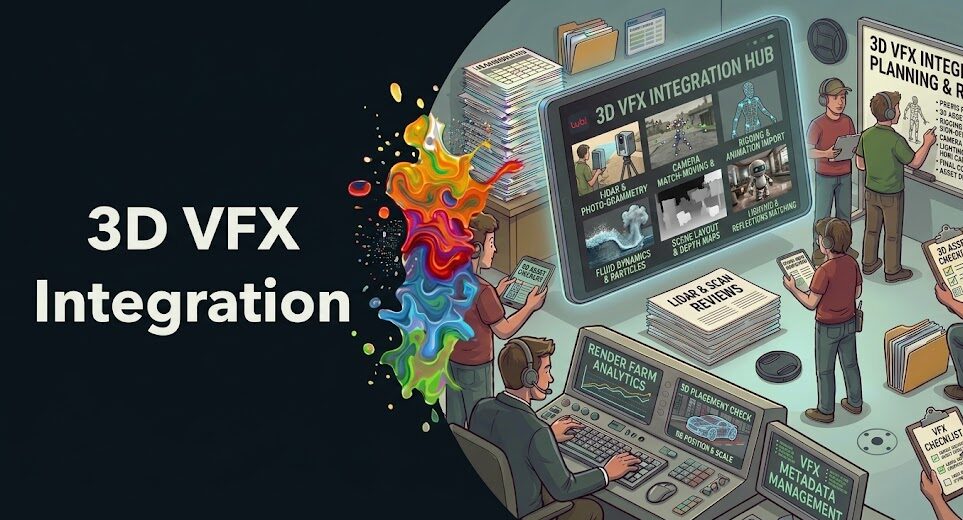
You’ve seen it. A shot where the CGI just doesn’t sit right in the frame—the lighting feels off, the shadows don’t behave, and something about the movement telegraphs “this is fake” before the audience can even articulate why. That instinct they’re reacting to isn’t random. It’s the result of a broken pipeline.
Integrating 3D CGI elements into real footage isn’t just a rendering challenge—it’s a systematic, multi-stage discipline that every professional VFX studio has refined through decades of trial and expensive error.
The good news? The failure points are well-documented. Camera mismatch, flat lighting, missing contact shadows, uniform depth of field—these aren’t mysteries. They’re pipeline gaps. And if you understand exactly where they occur, you can close them before your compositor ever touches the plate. That’s what this guide is about.
Whether you’re placing a vehicle on a live-action road, dropping a creature into a practical environment, or adding architectural elements to location footage, the techniques here will walk you through every stage of the professional 3D CGI integration pipeline—from the moment the camera rolls on set to the final compositing pass. Studios like Framestore, DNEG, and PhantomFX use these exact frameworks on productions for Netflix, Warner Bros, and Paramount. Let’s get into it.
In This Guide:
- Why CGI Integration Fails—Even With Great Assets
- Step 1: Camera Matching and Tracking
- Step 2: HDR Lighting Analysis and Scene Matching
- Step 3: Shadow Casting, Occlusion, and Contact Points
- Step 4: Depth of Field, Motion Blur, and Lens Character
- Step 5: Compositing Passes and Final Integration
- How AI Is Reshaping the CGI Integration Pipeline
- Finding the Right VFX Studio for Your Production
- FAQ
- Conclusion
Ask VIQI: Which VFX Studios Specialize in CGI Integration for Your Budget and Genre?
VIQI is Vitrina’s AI assistant—trained on 1.6 million titles, 300,000+ companies, and 5 million entertainment professionals. Ask it which studios have delivered CGI integration on projects like yours.
✓ Included with 200 free credits | ✓ No credit card needed
Why CGI Integration Fails—Even With Great Assets
Here’s the thing most VFX newcomers get wrong: they assume a photorealistic render is enough. It isn’t. A technically flawless 3D model—correctly UV-mapped, properly textured, displacement maps and all—will still look fake the moment you drop it into a real plate without matching the environment it’s supposed to live in. The asset quality is almost never the problem. The pipeline is.
Bejoy Arputharaj, Founder & CEO of PhantomFX—which has delivered CGI work for Hollywood productions and major streaming platforms including Netflix—has spoken about how the most common CGI failures come not from rendering limitations but from integration discipline. The camera doesn’t lie, and neither does diffuse spill or a missing ambient occlusion pass. Every single shortcut you take in the pipeline shows up on screen.
There are five core areas where integrating 3D CGI elements into real footage typically breaks down. Master all five, and your composites become indistinguishable from reality. Skip one, and viewers feel it—even if they can’t name it.
The five pillars of believable CGI integration are: camera matching, lighting analysis, shadow and occlusion, depth and lens matching, and compositing pass structure. Think of them as a chain. Break any link, and the whole shot falls apart.
Step 1: Camera Matching and Tracking — The Foundation of Everything
Before a single polygon gets rendered, you need to know what camera shot your plate. Not approximately. Exactly. Focal length, sensor size, distortion profile, and the precise movement path of the camera through every frame of the shot—all of it matters. Get this wrong, and your CGI element will slide, float, or drift through the frame no matter how good your lighting is.
Match Moving: The Non-Negotiable Starting Point
Match moving (also called camera tracking) is the process of reconstructing the real camera’s motion from the plate footage so that your 3D scene and CG camera behave identically. You’re essentially reverse-engineering the physical camera from pixel data—tracking natural feature points across the image to calculate the camera’s position and orientation at every frame. Tools like SynthEyes, 3DEqualizer, and PFTrack are the industry standards. But the tool is only as good as the data you feed it.
This is where on-set prep becomes critical. Professional productions shooting for heavy VFX integration will add tracking markers—small, high-contrast reference points—to the set. They’ll also carry out a lens calibration grid shoot to capture the specific distortion profile of the lens. And they’ll document the camera’s field of view, either by pulling the EXIF data from the original footage or by physically measuring and logging focal length during the shoot.
But here’s what trips up a lot of productions: they don’t do any of this. They just send clean plates to the VFX team and hope for the best. Then they wonder why the integration looks off. Don’t wait for post to sort it out—the data needs to exist in the camera package.
Lens Distortion and the Grid Solve
Every real lens introduces some degree of barrel or pincushion distortion—especially wider focal lengths. Your 3D renderer doesn’t have this. So before you even begin matching the camera motion, you’ll want to either undistort the plate (remove the distortion, work in a clean space, then redistort at the end) or apply matching distortion to your CG render output. Most pipelines use the undistort-render-redistort method for the cleanest result. And yes, this means your plate will look slightly warped during the middle stages of your comp. That’s expected.
Once your camera solve is locked—with a residual error you’re genuinely happy with, not just one you can live with—you’re ready to set up your scene geometry. This means building a stand-in geometry of the practical environment (even basic proxy shapes) so that reflections, occlusions, and lighting can interact correctly with the CG asset.
Bejoy Arputharaj (Founder & CEO, PhantomFX) discusses CGI mastery, AI-driven VFX innovation, and the pipeline discipline behind delivering for major streaming platforms:
Step 2: HDR Lighting Analysis and Scene Matching
Lighting is where CGI integration either convinces or collapses. And it’s subtler than most people expect—because lighting isn’t just about making your 3D object bright enough. It’s about matching the exact quality, direction, color temperature, and falloff of every light source in the real plate, including the ones you can’t see directly. Bounce light off a white wall. Spill from a practical lamp. Ambient sky dome coming through a window. All of it has to be accounted for.
Capturing HDR Reference on Set
The professional standard is to capture an HDR (High Dynamic Range) panorama at the camera position during the shoot—ideally using a chrome ball and a gray ball reference photographed at multiple exposures. The chrome ball gives you a 180-degree reflection of the environment, capturing light sources, their direction, and their intensity in a way that standard footage can’t. The gray ball gives you the diffuse response of a neutral surface under those same conditions.
Stitch the exposures into a proper latitude-wide HDRI, and you’ve got an image-based lighting (IBL) setup that your 3D environment can use directly. Plug that HDRI into your render engine’s environment light, and your CG asset will immediately pick up the same quality of illumination—directional, specular, and ambient—as everything else in the frame.
But what if the production didn’t capture reference? It happens constantly. Your compositor then has to reverse-engineer the lighting from the plate itself—studying the direction and quality of shadows on practical objects, the color of highlights on reflective surfaces, the sky zone visible in frame. It’s painstaking. And it’s why informed VFX supervisors push hard to be on set. The hour it takes to shoot proper reference saves days in post. Ask any experienced on-set VFX supervisor—they’ll tell you the same thing.
Color Temperature and Practical Light Matching
One detail that amateurs consistently miss: color temperature mixing. A real environment rarely has a single consistent color temperature. Daylight through windows (around 5,600K) mixes with practical tungsten bulbs (around 3,200K), fluorescent overheads (around 4,000K), and reflected bounce from colored walls. Your CG renderer starts from a neutral white. You need to build that complexity back in—per light source, per bounce, per surface interaction.
And then there’s the color grade problem. Your plate is already color-graded (or will be graded in post). Your raw CG renders are in linear light. You need to work in linear, grade your CG to match the plate’s look, and only apply the final creative grade to the composited result. Applying the grade to the CG in isolation—and then compositing—introduces mismatches that become obvious in any color-critical scene.

Your AI Assistant, Agent, and Analyst for the Business of Entertainment
VIQI AI helps you plan content acquisitions, raise production financing, and find and connect with the right partners worldwide.
- List the top commissioners at the BBC
- List the post-production and VFX decision-makers at Netflix
- List the development leaders at Sony Pictures
- List the scripted programming heads at HBO
- Find active co-producers and financiers for scripted projects
- Find equity and gap financing companies in North America
- Find top film financiers in Europe
- Find production houses that can co-produce or finance unscripted series
- Who is backing animation projects in Europe right now
- Who is Netflix’s top production partners for Sports Docs
- Who is Commissioning factual content in the NORDICS
- Who is acquiring unscripted formats for the North American market
- Show me recent drama projects available for pre-buy
- Show me Japanese Anime Distributors
- Show me true-crime buyers from Asia
- Show me documentary pre-buyers
- I am looking for production partners for a YA drama set in Brazil
- I am looking for producers with proven track record in mid-budget features
- I am looking for Turkish distributors with successful international sales
- I am looking for OTT platforms actively acquiring finished series for the LATAM region
- I am seeking localization companies offer subtitling services in multiple Asian languages
- I am seeking partners in animation production for children's content
- I am seeking USA based post-production companies with sound facilities
- I am seeking VFX partners to composite background images and AI generated content
Step 3: Shadow Casting, Occlusion, and Contact Points
Shadows are the single most important connective tissue between your CG element and the real world. Not the render. Not the lighting. The shadow. Why? Because shadows carry the geometric relationship between your CG object and every surface it sits on, moves near, or interacts with. No shadow contact—or a wrong shadow—and the CGI hovers. Full stop.
Rendering Your Shadow Pass Correctly
Professional pipelines render shadow elements separately—specifically a shadow catcher pass that captures the shadow your CG object would cast on the environment, without rendering the environment geometry itself as a solid element. You composite this shadow pass over the real plate at the right opacity and blend mode, and suddenly your CG object is grounded.
Get the shadow hardness right. A single sharp key light creates a hard shadow with a well-defined edge. Overcast sky creates a soft, diffuse shadow that bleeds gently across the surface. Most environments sit somewhere in between—so your shadow’s penumbra (the soft edge transition zone) needs to be tuned to match what you actually see in the plate shadows elsewhere in frame. Match the practical shadows you can already see. That’s your reference.
Ambient Occlusion and the Contact Point Problem
Ambient occlusion (AO) handles the subtle darkening that occurs wherever two surfaces come close together—under a tire, inside a crack, beneath a foot. It’s everywhere in reality, and its absence is the most common giveaway of CG. Real objects trap light in their crevices. Real surfaces occlude each other. Render your AO pass separately and add it into your composite as a multiply layer to restore that contact grounding.
Then there are contact shadows—distinct from your main shadow pass. These are the ultra-darkened edges where a foot meets a ground plane, where a vehicle tire contacts asphalt, where a creature’s body meets the floor it’s standing on. They’re often only a few pixels wide, but they’re doing enormous perceptual work. Don’t skip them.
Find the World’s Best CGI Integration Studios on Vitrina
Trusted by Netflix, Warner Bros, and Paramount. Join 300,000+ companies tracking the global entertainment supply chain. Search photorealism VFX studios, review their CGI integration credits, and compare rates before you commit to a studio deal.
✓ 200 free credits | ✓ No credit card required | ✓ Full platform access
Step 4: Depth of Field, Motion Blur, and Lens Character
Here’s where experienced VFX supervisors earn their day rate. Matching depth of field and motion blur to the plate is technically demanding, and getting it wrong produces something that trained eyes clock immediately—even if they can’t articulate it. Your CG element sits in sharp focus while the plate around it shows the natural camera roll. Or it blurs differently during a pan. Both cases read as fake. Both are fixable.
Matching Depth of Field to the Plate
The plate was shot with a specific aperture and focal length combination that defines the depth of field—the zone of apparent sharpness around the focus point. Your CG render defaults to infinite depth of field (everything sharp). To match reality, you’ll need to either apply depth-of-field in your renderer using the real camera’s aperture and focus distance, or apply it as a post-process in your compositor using a Z-depth render pass.
The compositor approach is faster and easier to tweak—but it struggles with edge cases like object overlap where a sharp foreground object crosses a blurry background. The in-renderer approach is more accurate, especially for elements that cross the depth-of-field boundary during the shot. For high-end work, studios often render a deep Z-depth pass and apply physically accurate lens simulation in compositing software like Nuke.
And don’t forget bokeh shape. The blur circles (bokeh) produced by your lens have a specific shape defined by the aperture blade count—hexagonal, octagonal, or circular depending on the iris design. If your plate shows characteristic hexagonal bokeh and your CG render defaults to circular, that inconsistency will read in any wide-aperture shot with background elements.
Motion Blur: Camera vs. Object
Motion blur is non-negotiable in any shot with movement. But there are two flavors: camera motion blur (the whole image smearing from a camera pan) and object motion blur (individual objects smearing based on their own velocity relative to the camera). Your CG element needs both. Camera motion blur applied globally in comp affects the plate and CG together. Object motion blur for the CG itself needs to be rendered or simulated per-element.
The shutter angle of the original camera also defines the length and quality of motion blur in the plate. If the production shot at 180-degree shutter (the standard for film-like motion), your CG motion blur should match that exposure window. Shoot a fast shutter and your plate will have very little blur—so your CG shouldn’t either. Mismatch here and movement reads as wrong even when the motion itself is correct.
Step 5: Compositing Passes and Final Integration
This is where everything comes together—and where the most experienced compositors separate themselves from the pack. Compositing passes are the individual render elements (beauty, diffuse, specular, reflection, shadow, AO, Z-depth, motion blur) that you layer up in your compositing software to reconstruct the final image with maximum control. You don’t comp beauty renders. You build images from their components.
The Multi-Pass Render Stack
A typical multi-pass stack for integrating CGI elements into real footage might look something like this:
- Beauty pass: The full composite of all lighting. Your starting point.
- Diffuse pass: Base color response from indirect and direct illumination.
- Specular pass: Highlights and shiny reflections—critical for metal and wet surfaces.
- Reflection pass: Environment reflections, including reflections of the real plate geometry.
- Ambient occlusion pass: Contact darkening. Composited as multiply over your beauty.
- Shadow catcher pass: The CGI element’s shadow falling on the real environment.
- Z-depth pass: Distance data for depth-of-field and atmospheric haze.
- Motion vector pass: Per-pixel velocity data for motion blur in comp.
John Kilshaw, Creative Director & VFX Supervisor at Framestore, has discussed the collaborative rigor required to execute episodic VFX at scale—working on projects like One Piece and Avatar: The Last Airbender for Netflix. The consistent thread across productions of that scale is the discipline of building composites from properly rendered passes rather than trying to force a beauty render to work. Shortcutting the render pipeline always costs more time in comp.
Edge Blending, Spill Suppression, and Grain Matching
Three final-mile items that can make or break a shot. First, edge blending—your CG element’s edges need to interact correctly with what’s behind them. Even with correct lighting, a hard render edge against a soft plate background will read wrong. Soft edge treatments, core mattes, and edge light matching close this gap.
Second, color spill suppression. If your CG element is lit by a warm practical source in the plate, that warmth should spill subtly onto the CG element’s edges. Conversely, if there’s a blue sky above, that bounce should affect the top surfaces of your element. This environmental spill is what makes CG feel embedded in the world rather than pasted on top of it.
And third—grain matching. Your camera plate has sensor noise. Your CG render doesn’t. Add a matching grain layer over your final composite and suddenly the CG stops looking “too clean” against the organic plate texture. This one detail, which costs almost nothing in comp time, dramatically reduces the feeling of digital artificiality. Don’t skip it.
How AI Is Reshaping the 3D CGI Integration Pipeline
The pipeline described above has been the industry standard for roughly two decades. But AI is changing specific stages of it—sometimes in ways that are genuinely useful for productions under budget pressure, and sometimes in ways that introduce new problems under the guise of efficiency. Worth knowing the difference.
Joseph Bell—who spent years at Industrial Light & Magic (ILM) before becoming a consultant and industry analyst covering VFX trends—has observed that AI tools are making the most meaningful impact at the match-moving stage (automated camera solves from limited tracking data), at the rotoscoping and masking stage (AI-assisted mattes that used to require frame-by-frame manual work), and in denoising—reducing render times by up to 60% on some projects by rendering fewer samples and using AI to reconstruct the noise-free result.
But AI doesn’t yet reliably solve the hardest problems in CGI integration. It can’t tell you whether your contact shadow is too soft for the light quality in the plate. It can’t judge whether the bokeh on your CG element matches the plate lens’s aperture character. Those still require experienced human judgment. What AI does do is compress the time spent on rote technical tasks—giving artists more bandwidth to focus on the creative integration problems that actually determine whether a shot works.
According to reporting by Variety, major VFX studios have increasingly integrated AI-assisted workflows into their compositing pipelines—with studios citing material reductions in turnaround time on complex shots, particularly in the areas of hair simulation, crowd augmentation, and environment extensions. But the professionals leading those pipelines are clear that the underlying integration fundamentals haven’t changed. The craft still has to be there. AI accelerates it; it doesn’t replace it.
If you want to stay current on what’s changing fastest in VFX technology, Vitrina’s VFX technology trend coverage tracks developments across the global production ecosystem.
Finding the Right VFX Studio for Your CGI Integration Needs
You can know every technique in this guide and still get a bad result if you’re working with a studio that doesn’t have the pipeline discipline to execute it. And the VFX market isn’t short on suppliers—but it’s very short on suppliers who actually specialize in the specific type of integration your project requires. A creature house that’s brilliant at fur simulation may not be the right partner for hard-surface vehicle integration. A studio with deep episodic TV credits may not have the turnaround capacity for a feature with 400 shots.
The global VFX supply chain now spans over 300,000+ companies tracked across Vitrina’s platform—from established names like DNEG, Framestore, and Weta Digital to boutique specialists in markets like India, Eastern Europe, and Southeast Asia who can deliver CGI integration for action and genre productions at competitive rates without sacrificing technical quality. As The Hollywood Reporter has documented, the geographic fragmentation of VFX production has continued to accelerate—with studios in non-traditional markets now delivering work for top-tier streamers and theatrical releases. Knowing where the real specialists sit inside that sprawling ecosystem is the intelligence challenge.
When vetting any studio for CGI integration work, ask for specific reel sections showing composited CG against real footage—not just animation showcases. Look at their shadow handling. Look at the edge quality on elements in motion. Look at whether the grain structure matches across the comp. Those details tell you far more than a general demo reel.
And if you’re building a longer-term supply chain—if you’re producing at volume across episodic or multi-project slates—you’ll want to de-risk your vendor selection with verified credits, real capacity data, and direct connections to decision-makers at the studios that matter. That’s exactly what Vitrina’s CGI companies database is built to do: cut the discovery time, accelerate the vetting process, and get you to the right VFX partner faster than conventional outreach ever could.
Need a Vetted CGI Integration Studio Fast? Vitrina Concierge Will Find One.
Vitrina Concierge is your Virtual Agent. We don’t give you a list—we make warm introductions directly to VFX studios actively taking projects like yours.
- LA producer → Netflix UK, Fifth Season, Fox Entertainment (48 hours)
- Korean animation studio → Netflix Adult Animation (week one)
- Middle Eastern studio → Legendary Pictures (direct access)
Frequently Asked Questions
What is the most common reason CGI integration looks fake?
The most common culprit is mismatched lighting—specifically, failing to match the color temperature, direction, and quality of the real plate’s illumination in the CG render. The second most common issue is missing contact shadows, which are the ultra-dark edges where a 3D element meets a surface. Together, these two problems account for the vast majority of shots that look “off” even when the asset itself is technically excellent.
What data do I need to capture on set for CGI integration in post?
You’ll want: chrome ball and gray ball HDR photography at the camera position, a lens calibration grid shoot (to document distortion profile), all camera metadata (focal length, aperture, shutter angle, sensor size), tracking markers placed in the scene for camera solve reference, and a survey or LIDAR scan of the environment if the integration requires accurate environment geometry for reflections or shadows. The more complete this package, the less time—and money—you’ll spend solving problems in post.
How do I handle integrating 3D CGI elements into real footage when I have no on-set reference?
It’s harder, but not impossible. You reverse-engineer the lighting by analyzing the shadows, highlights, and reflections visible in the plate itself. Look at how practical objects in the scene respond to the light—what color are the shadows, how hard are the edges, what’s bouncing off the floor. Use that as your lighting reference. For camera data, you can often derive approximate focal length by analyzing the perspective and parallax between objects at known distances. It adds time, but skilled compositors reconstruct accurate environments from plates alone regularly.
What software does the professional VFX industry use for CGI integration compositing?
Nuke by Foundry is the dominant professional compositing application across virtually every major VFX studio—Framestore, DNEG, Weta Digital, and ILM all use it. For camera tracking and match moving, 3DEqualizer and SynthEyes are the primary tools. Render engines like Arnold, V-Ray, and RenderMan handle the CG pass generation. Many boutique studios also use After Effects for smaller-scale integration work, though it’s less suited to high-end multi-pass compositing than Nuke.
How long does it typically take to integrate a complex 3D element into real footage?
It depends heavily on shot complexity, but rough industry benchmarks: a simple hard-surface element in a static or minimal-motion shot might take a team 2–5 days per shot including render time. A complex creature with secondary motion, fur, and environmental interaction in a dynamic camera move can run 2–6 weeks per shot for the composite alone—not counting the upstream animation and lighting work. Productions with tight turnarounds often use parallel pipelines, splitting the work across specialist teams for tracking, lighting, and comp simultaneously.
Can AI tools replace traditional compositing techniques for CGI integration?
Not yet—not for high-end work. AI tools are currently most useful for automating labor-intensive rote tasks: rotoscoping, noise reduction (denoising), and basic camera solving. They don’t reliably make the creative and technical judgments that determine whether shadow softness matches the plate, whether edge spill is correctly reading environment color, or whether depth of field is physically accurate to the original lens. Those still require experienced artists. The real value of AI right now is giving skilled compositors more time to focus on the hard problems.
What’s the difference between a VFX supervisor and a compositor for CGI integration projects?
A VFX supervisor oversees the creative and technical vision across the entire VFX pipeline—including on-set supervision, bid review, shot approval, and communication with the director and producer. A compositor is the artist executing the final integration of CG elements into the plate, managing pass combinations, color matching, edge work, and the dozen other technical details that determine whether a shot reads as real. On high-budget productions, these are always separate roles. On lower-budget projects, one person sometimes covers both—but that’s a significant workflow pressure.
How do I find a qualified VFX studio for 3D CGI integration on an independent production?
Start by reviewing studio reels specifically for their compositing work—not just rendered animation. Look for shots that show CGI integrated into real environments, particularly shots with complex lighting scenarios or fast camera movement. Then verify their credits. Vitrina’s platform lets you search 300,000+ companies by specialization, territory, budget range, and client credits—so you can find studios that have already delivered work comparable to your project scope, rather than relying on general portfolios and word of mouth.
Conclusion: The Pipeline Is the Product
Getting 3D CGI elements integrated into real footage convincingly is never about any single technique. It’s about every stage of the pipeline working in sequence—camera matching locked before lighting is touched, lighting nailed before shadows are built, shadow work done before the comp pass even begins. Cut a corner anywhere in that chain, and it shows on screen. That’s the discipline studios like Framestore, PhantomFX, and DNEG apply on every production, from episodic TV to theatrical features.
Key Takeaways:
- Camera data is non-negotiable: Capture focal length, distortion profile, and tracking markers on set. Every hour spent collecting this data saves at least 2–3 hours of problem-solving in post.
- HDR reference changes everything: Chrome ball and gray ball photography at the camera position gives your 3D team the environmental lighting data they need to match the plate from the first render—not the fifteenth.
- Shadows are your ground plane: Contact shadows and ambient occlusion are what make a CG element feel physically placed in a space. Their absence is the number one reason trained eyes flag shots as fake.
- Render in passes, not beauty: Multi-pass compositing gives you per-element control over lighting, shadows, depth, and color. Compositing a single beauty render is a shortcut that shows up in the final frame.
- AI accelerates the rote work: Denoising, auto-roto, and assisted camera solves are real productivity gains—but they don’t replace the human judgment required to match depth of field, bokeh character, grain structure, and spill color to the plate.
If your current VFX partner isn’t executing against all five of these pillars, the problem isn’t your asset quality. It’s your pipeline. And finding a studio that does have the discipline—whether that’s a major facility or a boutique specialist in an emerging market—is worth doing before a shot goes into final approval, not after.
Discover the World’s Best CGI Integration Studios—Before Your Competition Does
Trusted by Netflix, Warner Bros, Paramount, and Google TV. Track 159,223 projects. Access 3 million verified executives. Search lighting and shading specialists, compare CGI integration credits, and ask VIQI strategic questions about your market—all from one platform.
✓ 200 free credits | ✓ No credit card required | ✓ Cancel anytime