IHUB
IHUB
 Private Briefings (Webinars)


 LeaderSpeak Podcast
  Global Entertainment Digest (Newsletter)
  Premium Lists
 Membership Benefits
 About Vitrina
 Our Story
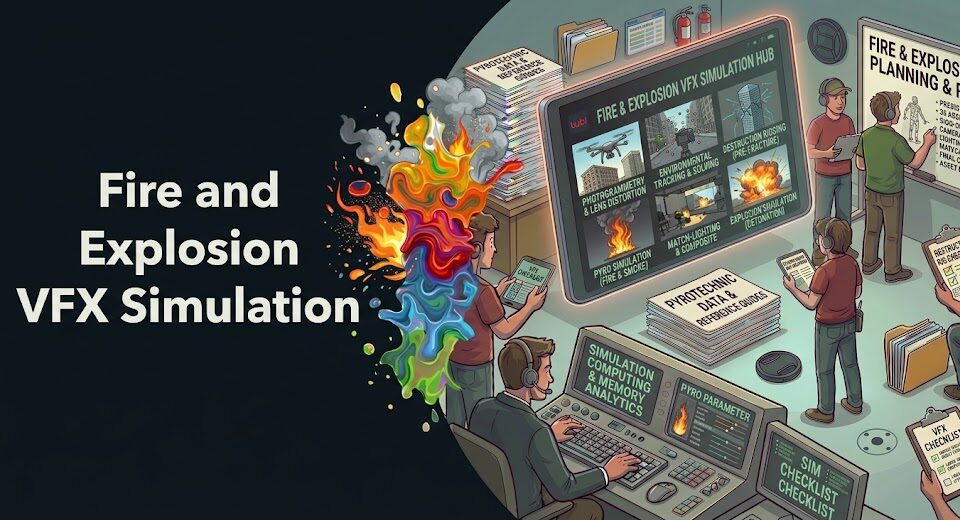
Fire lies. Every human who has ever stood next to a campfire, watched a building burn, or felt the heat shimmer off a struck match carries an unconscious library of reference. They don’t know the physics—but they know when something is wrong. That’s what makes fire and explosion simulation the most unforgiving category in professional VFX. You’re not just making something that looks impressive. You’re competing with the audience’s cellular memory of real combustion.
And yet—done right—pyro simulation is one of the most transportive effects in cinema. The explosion sequences in Top Gun: Maverick used a combination of practical pyrotechnics and digital enhancement. The fire work on Oppenheimer was largely practical but used fluid dynamics simulation for elements that couldn’t be safely captured on set.
Industrial Light & Magic (ILM), DNEG, and Framestore have each spent decades developing proprietary approaches to realistic fire and explosion VFX—because the problem is genuinely hard enough that there’s no shortcut that doesn’t show.
This guide breaks down the complete professional pipeline for creating fire and explosion simulation techniques for VFX in post production—from understanding what makes pyro look real, through the fluid dynamics and particle systems that power it, to render strategy and compositing. Whether you’re working in Houdini, Cinema 4D, or trying to get the most out of After Effects, the principles here apply across tools. What differs is how faithfully each tool can execute them.
In This Guide:
- Why Digital Fire and Explosions Look Fake
- Fluid Dynamics: The Physics Engine Behind Realistic Pyro
- Building Fire in Houdini: The Industry Standard Approach
- Explosion Simulation: Shockwave, Debris, and Smoke Integration
- Rendering Pyro: Volumetric Shading and Optimization
- Compositing Fire and Explosion VFX Into Live Footage
- Fire and Explosion VFX in After Effects and Cinema 4D
- Finding a Specialist Pyro VFX Studio for Your Production
- FAQ
- Conclusion
Ask VIQI: Which Studios Have Delivered Pyro and Explosion VFX for Productions Like Mine?
VIQI is Vitrina’s AI assistant—trained on 1.6 million titles, 300,000+ companies, and 5 million entertainment professionals. Ask it which explosion VFX specialists match your budget, genre, and territory.
✓ Included with 200 free credits | ✓ No credit card needed
Why Digital Fire and Explosions Look Fake
Ask a VFX supervisor to identify bad pyro on screen—even at normal playback speed—and they’ll do it in seconds. The giveaways aren’t exotic. They’re the same problems, appearing in the same order, on production after production that cut corners on the simulation pipeline. Knowing them is the first step to avoiding them.
Buoyancy failure is the most common. Real fire rises—fast, with purpose, because heat dramatically reduces air density and the surrounding cold air rushes in to fill the gap. Flat digital fire that drifts upward lazily doesn’t trigger that cellular recognition. Neither does fire that moves uniformly. Real flames are turbulent at micro-scales you can almost feel through a screen. That turbulence is the result of fluid instability—the Kelvin-Helmholtz instability at the boundary between the hot combusting gas and the cooler surrounding air. Without it, you’ve got a procedural texture, not fire.
Color and blackbody radiation are the second failure mode. Real fire doesn’t have one color. The temperature gradient from the base (coolest, darkest, often blue or near-invisible) through the mid-flame (orange, yellow) to the tip (which can desaturate toward pale yellow-white at extreme temperatures) creates a luminance and color structure that particle-based stock effects almost never replicate correctly. Add the fact that fire emits light—it illuminates everything around it with a flickering, temperature-correlated warm glow—and you start to understand why fire that doesn’t interact with its environment looks obviously wrong even when the flame itself isn’t terrible.
Then there’s smoke behavior. Smoke is inseparable from fire in any real combustion event—but it behaves differently depending on temperature, fuel type, and atmospheric conditions. Hot smoke rises fast and disperses quickly. Cool smoke lingers and rolls. Black sooty smoke from petroleum products has completely different density and behavior than wood smoke. Get the smoke wrong and the fire reads wrong even if the flame itself is decent.
For explosions specifically, the failure modes add missing shockwave interaction. Real explosions create a blast wave—a region of compressed air that travels outward from the source faster than sound in some cases. This wave physically disturbs everything it passes through: it bends grass, kicks up dust, distorts any smoke or atmosphere it hits, and creates a visible compression ring in air for large-scale events. Skip the shockwave and your explosion looks like a 3D fireball dropped into a plate that doesn’t know it’s there.
Fluid Dynamics: The Physics Engine Behind Realistic Pyro
Professional-grade fire and explosion simulation runs on fluid dynamics solvers—specifically on variations of the Navier-Stokes equations, the mathematical description of how viscous fluids (including gases) move under forces like pressure, buoyancy, and vorticity. This is the computational engine under the hood of Houdini’s Pyro solver, SideFX’s proprietary toolset, and the bespoke simulation systems that studios like ILM have built internally.
You don’t need a physics PhD to use these tools. But you do need to understand what each parameter actually controls—because tweaking numbers without understanding what they map to physically is how you end up with fire that gets close but never quite convincing.
Vorticity and Turbulence: What Makes Fire Feel Alive
Vorticity confinement is the single most important technique for making simulated fire look organic. In a real flame, the interface between the hot gas and the cooler surrounding air is chaotic—small vortices (swirling flow patterns) form spontaneously due to fluid instability, then interact with each other and with the main upward flow to create that characteristic writhing, irregular motion of fire. A basic simulation without vorticity confinement produces smooth, laminar fire. Clean, predictable, dead.
Cranking up vorticity confinement in your solver adds these rotational features back in. The result is fire that twists, rolls, and self-organizes in ways that feel physically motivated rather than procedurally generated. But here’s where artists often make a mistake—more vorticity doesn’t automatically mean better fire. Too much produces an over-turbulent, chaotic result that also reads as wrong. The goal is to match the scale and frequency of real turbulence for your specific fuel type and flame size. A blowtorch flame has different turbulence characteristics than a burning car, which has different characteristics than a building fire.
Temperature Fields, Density Fields, and Fuel
Fluid-based fire simulations typically work with at least three separate fields: a temperature field (how hot each voxel of the simulation is), a density field (how much combustion product—smoke, soot—is present), and a fuel field (how much unburned combustible material is available to react). The solver advances these fields forward in time, burning fuel to release heat, releasing temperature to drive buoyancy, and generating density as a combustion byproduct.
The relationship between these fields—specifically how fast fuel burns, how much temperature is released per unit of fuel consumed, and how quickly the resulting density rises and disperses—is where you dial in the character of your specific fire. Dense, slow-burning fuel produces heavy black smoke and lower-temperature red-orange flame. High-energy, fast-burning fuel produces near-invisible blue flame with rapid dissipating smoke. Your solver parameters should map to the physical chemistry of your actual fuel, or at least approximate it convincingly.
Joseph Bell (VFX Industry Veteran, formerly Industrial Light & Magic) shares two decades of perspective on VFX simulation pipelines, industry trends, and where pyrotechnic and practical effects workflows are heading:
Building Fire in Houdini: The Industry Standard Approach
Houdini by SideFX is the undisputed industry standard for production-grade fire and explosion simulation. That’s not marketing—it’s empirical. If you look at the credits of essentially any major visual effects production with significant pyro work over the last decade, Houdini’s Pyro solver is somewhere in the pipeline. ILM, Weta Digital, Double Negative (DNEG), and Framestore all use it as the foundation for fire and explosion work, layering proprietary tools and workflows on top of it.
Here’s why: Houdini’s procedural, node-based architecture means every parameter of your simulation is controllable, non-destructive, and rebuildable. You can cache your simulation to disk, tweak a single parameter, and re-cache from any point in the timeline without destroying upstream work. For complex multi-stage explosions—where you might have an initial fireball, a secondary smoke column, and tertiary debris interactions all needing individual adjustment—that flexibility is non-negotiable at production pace.
Setting Up the Pyro Solver: Key Parameters
Your starting point is always an emitter—a source geometry that defines where fuel, temperature, and density enter the simulation. The shape, velocity, and emission rate of this source directly determines the character of your fire before any solver parameters have even been touched. A wide flat emitter produces a sheet-like flame. A point emitter produces a column. Match your emitter shape to the real-world source you’re simulating before adjusting anything else.
The core Pyro solver parameters you’ll spend most time tuning:
- Buoyancy: Controls how strongly temperature differential drives upward flow. Too low—sluggish, unconvincing rise. Too high—rocket-fast flame that looks artificial. Calibrate against your reference footage frame by frame.
- Vorticity confinement: Adds rotational detail to the fluid. Start at default, increase until the surface detail matches your reference. Stop before it becomes visually noisy.
- Burn rate: How fast fuel is consumed. Fast burn = bright, short-lived flame. Slow burn = sustained, lower-intensity combustion. Match to fuel type.
- Cooling rate: How quickly hot gas loses temperature as it rises and mixes. This controls how long the glowing flame region persists before transitioning to smoke. Critical for color gradient accuracy.
- Dissipation: How quickly density (smoke) fades out. Real wood smoke hangs; petroleum smoke disperses faster. Tune per fuel type.
- Timescale: Effectively slows or speeds up the entire simulation without changing the underlying physics. Use carefully—it affects all internal dynamics proportionally.
Voxel Resolution and the Cost of Fidelity
Voxel resolution determines how much fine detail your simulation can contain. And here’s the painful truth: the detail you see in production-quality fire—the fine wispy tendrils, the micro-turbulence at flame edges, the rolling self-organization of smoke—requires very high voxel counts. A simulation voxel size of 0.005 units (appropriate for a small flame in a close-up shot) might produce 40–80 million voxels for even a modest volume. That means long simulation times, massive cache files, and slow iteration cycles.
Professional pipelines address this with adaptive resolution—high voxel density in the regions of active combustion where detail matters most, and coarser resolution in the outer smoke and atmosphere where broad volume is more important than fine detail. Houdini’s native sparse volumes and OpenVDB format make this tractable. But the bottom line remains: realistic fire simulation VFX in post production at production quality is computationally expensive, and any studio or artist who tells you otherwise is either working at a scale you haven’t seen yet, or they’re compressing somewhere you haven’t noticed.

Your AI Assistant, Agent, and Analyst for the Business of Entertainment
VIQI AI helps you plan content acquisitions, raise production financing, and find and connect with the right partners worldwide.
- List the top commissioners at the BBC
- List the post-production and VFX decision-makers at Netflix
- List the development leaders at Sony Pictures
- List the scripted programming heads at HBO
- Find active co-producers and financiers for scripted projects
- Find equity and gap financing companies in North America
- Find top film financiers in Europe
- Find production houses that can co-produce or finance unscripted series
- Who is backing animation projects in Europe right now
- Who is Netflix’s top production partners for Sports Docs
- Who is Commissioning factual content in the NORDICS
- Who is acquiring unscripted formats for the North American market
- Show me recent drama projects available for pre-buy
- Show me Japanese Anime Distributors
- Show me true-crime buyers from Asia
- Show me documentary pre-buyers
- I am looking for production partners for a YA drama set in Brazil
- I am looking for producers with proven track record in mid-budget features
- I am looking for Turkish distributors with successful international sales
- I am looking for OTT platforms actively acquiring finished series for the LATAM region
- I am seeking localization companies offer subtitling services in multiple Asian languages
- I am seeking partners in animation production for children's content
- I am seeking USA based post-production companies with sound facilities
- I am seeking VFX partners to composite background images and AI generated content
Explosion Simulation: Shockwave, Debris, and Smoke Integration
An explosion is not a big fire. It’s a fundamentally different physical event—a rapid exothermic reaction that releases energy in milliseconds, producing a supersonic blast wave, a rapidly expanding fireball, a secondary smoke cloud, and flying debris simultaneously. Getting realistic explosion simulation right means handling all four of these elements as an integrated system, because they interact with each other in ways that are immediately visible on screen.
Find Verified Explosion and Pyro VFX Specialists Before Your Production Locks Its Schedule
Trusted by Netflix, Warner Bros, and Paramount. Search explosion effects VFX studios by credit history, territory, and capacity on Vitrina’s platform of 300,000+ companies.
✓ 200 free credits | ✓ No credit card required | ✓ Full platform access
The Blast Wave: How to Fake Compressed Air
The shockwave is where most digital explosions fall apart. You can’t actually simulate supersonic gas dynamics in a real-time production Houdini solver—the physics requires different numerical approaches than subsonic fluid simulation and becomes prohibitively expensive at production scale. What you can do is fake it convincingly using a combination of techniques.
The most common approach: a rapidly expanding sphere of disturbed atmosphere—rendered as a near-invisible, slightly refractive volume—timed to move outward at a rate proportional to the explosion’s implied scale. For large explosions, this compression ring is genuinely visible as a ring of slightly denser, distorted air. For smaller events, it manifests primarily as a disturbance to any smoke, dust, or loose material in its path. Model the wave as a fast-expanding force field in your solver that pushes other simulated elements (the initial smoke, any secondary ground dust, debris particles) outward as it passes. The interaction tells the story even when the wave itself is invisible.
Layering the Fireball, Smoke Column, and Debris
Professional explosion work runs as multiple separate but temporally coordinated simulations. You’ll typically have:
- Primary fireball simulation: High-energy, rapid expansion, hot temperature field, high buoyancy. This is the instantaneous combustion event—often lasts only 0.5–2 seconds of screen time.
- Secondary smoke column: Cooler, slower-moving, longer-duration. The billowing gray-black aftermath of the initial event. Separate solver with different dissipation, temperature, and vorticity settings from the fireball.
- Ground interaction: The explosion’s shockwave disturbing soil, dust, or debris on the ground plane—often simulated as a particle emission triggered by the wave’s outward movement, producing a ring of kicked-up material.
- Rigid body debris: Flying fragments from the source of the explosion—simulated using a rigid body dynamics (RBD) solver, often Houdini’s built-in RBD system, with initial velocity driven by the blast force.
- Atmospheric disturbance: Heat haze, air shimmer, and the blast wave ring—composited in as a separate pass, often using a refractive material over a sphere geometry or a heat distortion node in Nuke.
Compositing these together is where the explosion’s timeline gets constructed. A well-built explosion has a clear arc: the initial flash and pressure wave (frames 1–5), the expanding fireball (frames 5–30), the smoke overtaking and absorbing the fireball (frames 20–60), and the cooling, rising smoke column that persists for the rest of the scene. Get the timing wrong between layers and it reads as disjointed even when each individual element is technically strong.
Rendering Pyro: Volumetric Shading and Optimization
Simulating fire is only half the problem. Rendering it is where the physics becomes visual—and where your compute budget gets tested hardest. Volumetric rendering, which is how fire and smoke are rendered in production, involves calculating how light travels through a three-dimensional medium of varying density and temperature. Every render sample traces light through potentially millions of voxels, computing scattering and absorption at each step. It’s slow. Deliberately so—because the physics demands it.
Blackbody Radiation: Making Your Fire Glow Correctly
Blackbody radiation is the physical principle that determines the color of light emitted by a hot body based on its temperature. For fire VFX, you apply a blackbody shader to your temperature field—so that high-temperature regions emit near-white or pale yellow light, mid-temperature regions emit orange-yellow, and low-temperature regions emit dark red. This temperature-to-color mapping is what gives fire its characteristic gradient, and it’s what differentiates professional fire renders from colored light spheres.
In practice, production renders rarely use a perfectly physically accurate blackbody curve—because physically accurate fire at realistic temperatures often looks too dim for cinematic purposes. Artists dial up the emission multiplier while preserving the relative color temperature gradient, essentially saying “this is brighter than physics but otherwise correct.” That’s the standard production compromise, and audiences accept it because the color relationships feel right even if the absolute luminance is elevated.
Step Size, Samples, and the Speed-Quality Trade-off
Volumetric renders have two primary quality levers: step size (how finely the renderer samples along each ray through the volume) and sample count (how many rays are cast per pixel). Smaller step sizes resolve finer detail—critical for the wispy edges of fire and the micro-turbulence in smoke. More samples reduce noise. Both increase render time proportionally.
The professional optimization approach: use adaptive sampling to allocate more rays to high-variance regions (the bright, noisy fireball core) and fewer to low-variance regions (calm background smoke). Combine this with volumetric denoising—most production renderers including Arnold, RenderMan, and V-Ray have dedicated volumetric denoisers that can reduce effective sample count by 50–70% without visible quality loss at typical viewing resolutions. At the render throughput required for modern episodic production—sometimes hundreds of frames per shot—those savings compound into weeks of saved farm time.
Compositing Fire and Explosion VFX Into Live Footage
Rendering photorealistic fire is one problem. Making it look like it belongs in a real plate is a separate one—and in some ways harder. Your perfectly simulated fireball, dropped into live footage without integration work, will immediately telegraph “digital” because it doesn’t affect anything around it. Real fire illuminates. Real explosions create atmospheric disturbance. Real smoke interacts with the light in the scene. All of that has to be replicated in composite or the join between real and digital remains visible.
Illumination and Light Interaction
Your fire emits light. That means everything in frame—practical actors, vehicles, building surfaces, the ground plane—should flicker with the warm orange-red of the combustion event. In most productions, this is achieved through a combination of on-set practical lighting (a lighting operator with a variable-intensity warm light creating live flicker that’s baked into the plate) and digital enhancement in comp (a glow or additive layer driven by the fire’s luminance to push the effect further).
But here’s what gets overlooked constantly: the fire should also reflect. Any wet or specular surface in frame—a puddle, a car window, a person’s eyes—should show a reflection of the fire that’s temporally coherent with the fire’s movement. Selling this in comp requires either pre-rendered reflection passes from your 3D scene, or careful use of the plate’s existing reflective surfaces with a fire-proxy matte painted on top. Neither is fast. Both are essential for close-range or wide-angle shots where reflective surfaces are clearly visible.
Heat Haze, Color Grade, and Atmospheric Integration
Heat haze is the distortion of light passing through rapidly heated air—the wobbling, lens-like distortion you see above any intense heat source. In VFX, it’s typically implemented as a displacement map applied in 2D composite over the areas of the plate behind the heat source. The displacement vectors are often driven by the fire simulation’s temperature field—high temperature equals stronger distortion. The effect is subtle in isolation but obvious by its absence when the rest of the integration is strong.
Color grading your fire element to match the plate’s overall look is critical and frequently rushed. Your raw render will be in linear light, high dynamic range, and neutral color. The plate already has a creative grade—warm, cool, desaturated, whatever the DI decided. Before you composite, check that your fire’s color temperature and contrast structure are consistent with the rest of the scene under the same grade. A fire that looks photorealistic in isolation but clashes with the plate’s color palette reads as wrong even if the physics are perfect.
Fire and Explosion VFX in After Effects and Cinema 4D
Not every production has access to a Houdini pipeline or a render farm capable of running volumetric simulations at 4K. That’s reality. And for a significant portion of the market—broadcast TV, commercials, lower-budget features, content creator productions—After Effects and Cinema 4D are the tools available. So what’s achievable, and where are the hard limits?
After Effects: Stock Elements, Plugins, and Their Ceiling
After Effects doesn’t have a native volumetric fire simulator. What it has are 2D particle systems (CC Particle World, Particular), the CC Mr. Mercury and Foam effects, and a library of third-party plugins—Trapcode Particular, Video Copilot’s Element 3D, and others. These tools can produce convincing fire-like visuals for shots where the camera isn’t close to the effect and the compositional environment is relatively forgiving.
The professional approach in AE is to combine stock pyro elements from libraries like ActionVFX or Rocketstock—filmed real pyrotechnics against black—with screen or add blending modes and color grade manipulation to match the plate. Done skillfully, this achieves results that work for broadcast and commercial content. The ceiling is reached when you need the fire to interact with specific objects in frame, track a moving camera closely, or be examined at high resolution by a forensic viewer. At that point, you need simulation, not 2D composition.
Cinema 4D: The Redshift/TyFlow Bridge to Simulation
Cinema 4D with Redshift as the render engine, combined with the TyFlow or native Pyro simulation tools (introduced in C4D 2023), now offers a genuinely capable fire simulation pipeline for mid-tier productions. It won’t match Houdini’s granular control or its procedural depth, but for contained pyro work—a burning object, a small explosion, fire wrapping a surface—it’s accessible and the render times are competitive with comparable Houdini setups.
The critical limitation: Cinema 4D’s pyro solver works at lower voxel resolutions before hitting performance walls, and the control over individual simulation fields (temperature, density, fuel as separate adjustable channels) is less fine-grained than Houdini’s. For productions where the fire is a secondary visual element—atmospheric, background, non-hero—Cinema 4D is a reasonable choice. For productions where the fire is central to a major sequence and will be scrutinized at large screen theatrical scale, Houdini is the correct tool. This isn’t a preference. It’s a capability gap that studios who’ve tried to deliver feature-quality pyro out of Cinema 4D at scale will confirm directly.
Finding a Specialist Pyro VFX Studio for Your Production
Pyrotechnic and explosion VFX is a genuine specialty. Not every studio that can deliver clean comp work or creature effects has a mature fire simulation pipeline. The Houdini expertise required, the compute infrastructure to run and cache large-scale pyro simulations, and the compositing experience to integrate fire convincingly into complex plates—that combination exists in fewer places than a general VFX credit list suggests.
Joseph Bell, who built his career across over two decades in the industry starting from roles at ILM—one of the studios that effectively wrote the book on large-scale explosion simulation for theatrical release—has spoken about the way the industry’s geographic distribution has shifted. Today, specialized pyro capability sits not just in the major Los Angeles and London studios but in production hubs across India, Eastern Europe, and increasingly Southeast Asia. Studios like Outpost VFX in the UK and boutique Houdini-specialist facilities across Mumbai and Hyderabad have built credible explosion simulation pipelines that service productions from Netflix, Warner Bros, and international streaming platforms at competitive rates relative to traditional tier-one facilities.
The discovery challenge is real. The global VFX supply chain tracked by Vitrina covers 300,000+ companies—but the subset with genuine Houdini pyro expertise and documented explosion work is a fraction of that. Finding it efficiently means having access to verified credits and direct connection routes into studios that have actually delivered comparable work, not just claimed the capability in a pitch deck. You can explore the full landscape of explosion effects VFX studios worldwide and particle effects specialists on Vitrina’s platform with credit-verified profiles.
When you’re vetting studios, ask to see specific pyro reel sections—not just “action VFX” reels. Look at the smoke behavior. Check whether fire illuminates surrounding objects. Look at whether the temporal arc of explosions feels physically grounded. According to reporting by Deadline, the VFX procurement process on major productions is increasingly moving toward data-driven vendor selection—with studios pulling credit histories, capacity data, and budget benchmarks before first contact. That intelligence advantage is exactly what separates producers who lock the right vendor early from those who discover the problem six weeks into post, when alternatives are running out. Check Vitrina’s guide on VFX requirements for high-budget films for the procurement framework top productions use.
Need a Pyro VFX Specialist Fast? Vitrina Concierge Will Source One Directly.
Vitrina Concierge is your Virtual Agent. We don’t hand you a shortlist—we make warm introductions directly to explosion and fire VFX studios that are actively taking projects at your budget and timeline.
- LA producer → Netflix UK, Fifth Season, Fox Entertainment (48 hours)
- Korean animation studio → Netflix Adult Animation (week one)
- Middle Eastern studio → Legendary Pictures (direct access)
Frequently Asked Questions
What software is best for realistic fire and explosion simulation VFX in post production?
Houdini by SideFX is the industry standard for professional fire and explosion simulation—used by ILM, DNEG, Framestore, and Weta Digital on major productions. Its Pyro solver, combined with OpenVDB volumes and the procedural node graph, gives artists the most granular control over fluid dynamics, vorticity, temperature fields, and render integration. Cinema 4D with its native Pyro module is a viable option for mid-tier and broadcast work. After Effects can composite stock pyro elements effectively but has no true volumetric fire simulator.
What are the most important parameters for realistic fire simulation in Houdini?
The five parameters that most directly determine how realistic your fire looks are: buoyancy (controls upward rise rate), vorticity confinement (adds turbulent detail to flame surface), burn rate (how fast fuel is consumed—affects flame height and intensity), cooling rate (controls how long the glowing region persists before becoming smoke), and dissipation (how quickly smoke fades out). Start with these before adjusting anything else. Each maps directly to an observable physical property in real fire.
Why does digital fire look fake even when the simulation is technically correct?
Usually because of missing integration in composite—not the simulation itself. The most common issues: fire that doesn’t illuminate surrounding objects (no light interaction), no heat haze distortion visible through the flame, smoke that doesn’t interact physically with the environment, and a missing blackbody color gradient that makes the flame one uniform color rather than transitioning from dark red at low temperature through orange to near-white at peak temperature. Fix the compositing integration first—most technically “wrong” fire becomes convincing once it interacts with its environment correctly.
How do I create a realistic explosion simulation that includes a shockwave?
True supersonic shockwave simulation is too computationally expensive for most production pipelines. The professional workaround is to simulate the effect of the shockwave rather than the wave itself: use a rapidly expanding force sphere in your Houdini sim to push secondary simulation elements (smoke, dust, debris) outward as the blast passes. Composite a near-invisible refractive sphere element over the plate to suggest atmospheric compression. Time this to the initial fireball expansion. The interacting elements tell the audience a shockwave happened—even though you haven’t simulated one directly.
What is blackbody radiation and why does it matter for fire VFX rendering?
Blackbody radiation is the physical principle that determines what color a hot object glows based on its temperature. For fire rendering, applying a blackbody shader to your simulation’s temperature field means that high-temperature regions emit near-white light, medium-temperature regions emit orange-yellow, and low-temperature regions emit deep red or are nearly invisible. This temperature-to-color mapping creates the characteristic color gradient of real fire. Without it, fire shaders produce uniform-color flames that audiences immediately recognize as artificial—even if they can’t name the specific failure.
Can I create believable fire VFX in After Effects without a 3D simulation?
Yes—with limits. After Effects can composite stock pyro footage (filmed real fire and explosions against black) using screen or add blending modes, combined with color grading to match the plate, secondary light passes for fire illumination, and heat distortion effects via displacement maps. For shots where fire is peripheral, background, or at distance from camera, this approach works well. The ceiling is any shot requiring the fire to closely track camera movement, interact with foreground objects at close range, or be viewed at 4K theatrical scale—all of which require actual volumetric simulation.
How long does a typical fire or explosion simulation take to compute for a professional VFX shot?
It varies widely by complexity. A small-scale fire at medium resolution (adequate for background or secondary use) might simulate in 1–4 hours on a capable workstation. A hero explosion shot at production resolution—high voxel count, multiple interacting simulations, rigid body debris—can run 12–48 hours of simulation time per pass, with 3–5 iterations needed to lock the look. Rendering the resulting volumes can add another 2–8 hours per frame on a render farm. It’s why pyro-heavy sequences have the longest post schedules in VFX production.
What’s the difference between particle-based and fluid dynamics-based fire simulation?
Particle-based fire uses thousands of individual point elements with sprite images or simple shapes, each following independent physics rules for velocity and lifetime. Fast to compute, easy to set up, but produces fire that looks like a collection of discrete elements rather than a continuous fluid—visible at close range or high resolution. Fluid dynamics-based fire solves the Navier-Stokes equations on a volumetric grid, treating the gas as a continuous medium. Much slower to compute but produces continuous, physically coherent motion with emergent turbulence, accurate buoyancy, and smooth density gradients. Professional productions use fluid simulation for hero fire shots and particle systems for distant, background, or secondary fire elements.
Conclusion: Fire Demands the Full Pipeline
Realistic fire and explosion simulation is the category where half-measures become fully visible. Audiences don’t consciously analyze the buoyancy parameters of your Houdini sim—but they register immediately when something feels wrong. Fake fire reads as fake because the audience’s unconscious physics model is better than the shortcut you took. The only reliable answer is doing the pipeline properly: correct fluid dynamics, accurate blackbody shading, disciplined compositing integration, and respect for the physical timing of real pyrotechnic events.
Key Takeaways:
- Vorticity is everything: Without vorticity confinement in your fluid solver, fire has no turbulent surface detail and reads as procedural. It’s the single parameter most responsible for whether simulated fire looks alive or dead.
- Houdini is the right tool for hero pyro: Cinema 4D and After Effects serve specific use cases—but for any fire or explosion that will be examined closely, Houdini’s Pyro solver delivers control and fidelity that nothing else currently matches at production scale.
- Explosions are 4–5 separate simulations: Fireball, smoke column, ground disturbance, rigid body debris, and atmospheric shockwave effect each need individual solver setups and are composited together with precise temporal coordination.
- Compositing integration makes or breaks the shot: Even perfect simulation reads as digital if fire doesn’t illuminate surrounding surfaces, produce heat haze, or interact with the plate environment. Fix the composite before blaming the sim.
- Pyro specialists are a defined subset: Not every VFX studio with a Houdini license has delivered production-quality fire simulation. Finding studios with verified pyro credits—across the 300,000+ companies on Vitrina’s platform—is worth doing before committing to a vendor based on a general reel.
The productions that get fire right—the ones that make audiences feel the heat even through a screen—aren’t working with better software than everyone else. They’re working with better pipeline discipline, more iterations, and the specific talent that comes from having delivered pyro work under real production pressure before. Find those people and those studios before your schedule gets tight. Because fire simulation on a deadline is a very different problem than fire simulation with time to iterate.
Find the World’s Best Pyro VFX Studios—Before Your Competition Books Them
Trusted by Netflix, Warner Bros, Paramount, and Google TV. Track 159,223 projects. Access 3 million verified executives. Search the world’s top VFX studios by specialization—explosion effects, particle simulation, pyrotechnics—and compare credits before your first call.
✓ 200 free credits | ✓ No credit card required | ✓ Cancel anytime
<!–