IHUB
IHUB
 Private Briefings (Webinars)


 LeaderSpeak Podcast
  Global Entertainment Digest (Newsletter)
  Premium Lists
 Membership Benefits
 About Vitrina
 Our Story
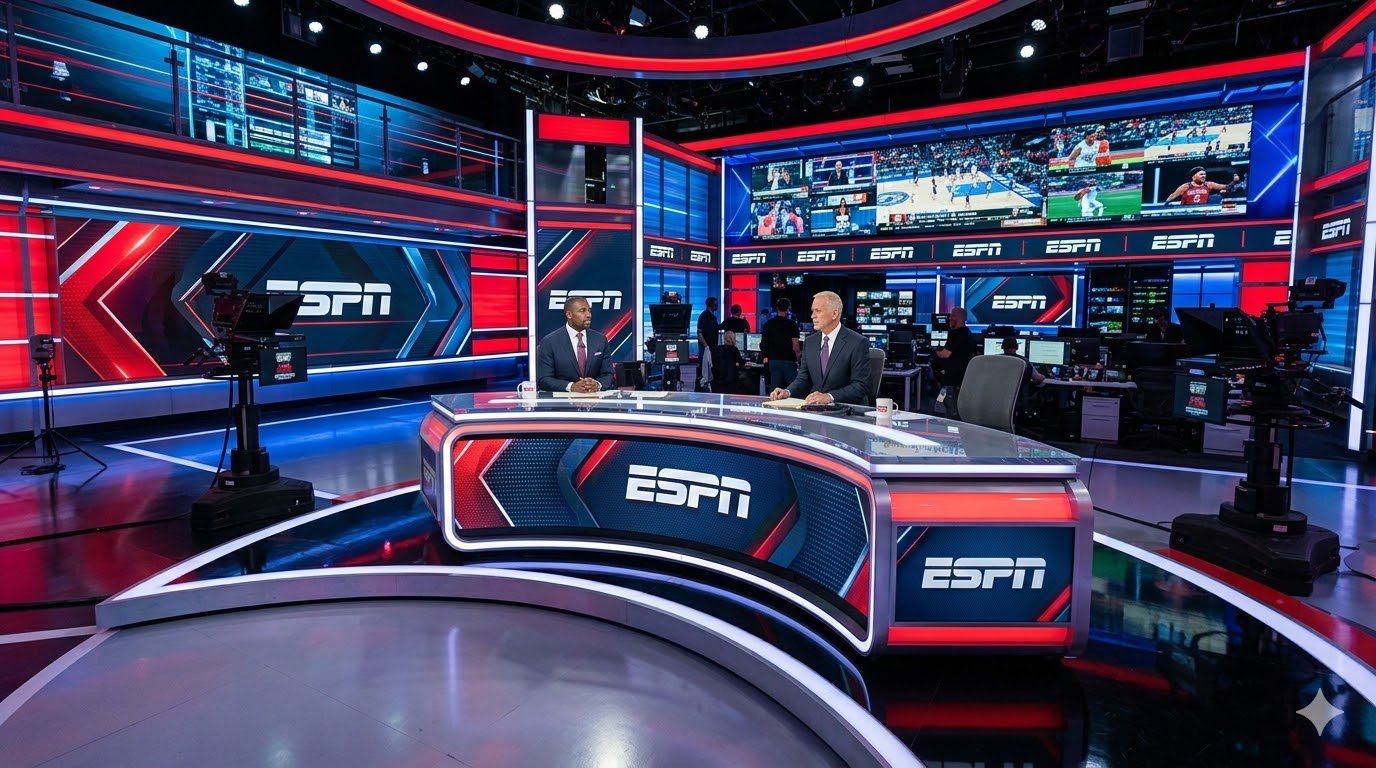
Sourcing verified TV studio equipment vendors and rental houses? Vitrina maps 300,000+ vetted supply-chain companies as of 2026.
TV Studio Equipment Guide 2026: Buy, Rent, or Lease
TV studio equipment spans six interdependent categories—cameras, lighting, switchers, audio, virtual production, and routing infrastructure—and the buy-vs-rent-vs-lease decision for each one changes how a studio’s balance sheet, financing terms, and resale value look five years out.
This guide is built for producers, studio operators, and financiers evaluating a fixed studio build or an equipment refresh—not for freelancers renting a single camera package for a location shoot.
Key Takeaways
- TV studio equipment breaks into six procurement categories—cameras, lighting, switchers/routing, audio, virtual production, and control-room infrastructure—each with a different buy-vs-rent calculus.
- The global virtual production market is valued at $3.67 billion in 2026 and is projected to reach $7.75 billion by 2031, a 16.12% CAGR (Mordor Intelligence, 2026), which is reshaping capital planning for new studio builds.
- NDI-based IP routing now spans a documented ecosystem of 200+ hardware and software brands and more than 1 million hardware units sold (NDI/Vizrt, 2026), making IP infrastructure a live alternative to legacy SDI.
- Lenders and equity partners increasingly treat owned broadcast infrastructure as collateral, so equipment strategy directly affects studio valuation and financing terms, not just production budgets.
- Vendor vetting—not just price—is the single biggest procurement risk producers underestimate when equipping a fixed studio facility.
In This Guide
- What Equipment Categories Does a TV Studio Actually Need?
- What Do Broadcast Cameras and Robotic Camera Systems Cost?
- How Do Studio Lighting Grids and LED Fixtures Work?
- What Role Do Switchers and the Production Control Room Play?
- How Does Broadcast Audio Mixing Differ From Studio Recording?
- What Do Teleprompters and Talent-Facing Equipment Add to the Budget?
- What Is Virtual Production and Do You Need an LED Volume?
- Why Are NDI and IP-Based Routing Replacing Legacy SDI?
- Should You Buy, Rent, or Lease TV Studio Equipment?
- What Does a Full Studio Equipment Budget Look Like by Tier?
- How Does Equipment Strategy Affect Studio Valuation and Financing?
- What Criteria Should You Use to Evaluate Equipment Vendors?
- How Does Vitrina’s Supply-Chain Intelligence Help Source Verified Vendors?
- Frequently Asked Questions
Building or re-equipping a TV studio is a capital allocation decision disguised as a technical one. Every category—camera, lighting, switcher, audio, LED volume, routing—carries its own depreciation curve, vendor risk, and financing implication. Get the mix wrong and you either overspend on idle capacity or underinvest and lose bids to better-equipped competitors. This guide walks through what a studio actually needs, what it costs, and how to decide what to own versus rent.
What Equipment Categories Does a TV Studio Actually Need?
A functioning TV studio needs six core equipment categories working together—image capture, lighting, vision switching, audio mixing, routing/infrastructure, and (increasingly) virtual production tech—and skipping any one of them creates a bottleneck that no amount of spending on the others fixes. Unlike a single-camera field kit, a studio is a system: a $200,000 camera chain is worthless if the switcher can’t ingest its signal format, and a beautiful LED lighting grid means nothing without a control surface that can program it scene-to-scene.
Producers evaluating a build typically map equipment into these buckets: broadcast/studio cameras and robotic camera heads; lighting grids and fixture control; production switchers and control-room monitoring; audio consoles and intercom/comms; teleprompters and talent-facing hardware; virtual production and LED volume systems; and the routing layer (SDI or NDI/IP) that ties everything together. The mistake most first-time studio builders make isn’t picking the wrong camera—it’s sequencing the purchase order backward, buying glamour equipment (cameras, LED walls) before locking down the routing and control infrastructure that every other category depends on.
For producers who need on-location gear rather than a fixed studio build, our companion guide on film making camera and equipment rental companies covers mobile production kits; this guide focuses specifically on fixed studio infrastructure.
What Do Broadcast Cameras and Robotic Camera Systems Cost?
Broadcast studio cameras from manufacturers like Sony and Blackmagic Design range from roughly $8,000 for a compact studio-configured camera to well over $100,000 for a fully rigged multi-camera system with a robotic pedestal or pan-tilt-zoom head, and most studios need four to eight of them to cover standard multi-camera blocking. Sony’s HDC series (including the HDC-3500 and HDC-5500) remains a standard reference point for live studio production, built around large sensors and fiber-camera-control-unit chains designed for continuous studio duty (Sony Professional, 2026).
Blackmagic Design’s URSA Broadcast line has pulled a large share of budget-conscious studio builds downmarket by pairing broadcast-grade connectivity (SMPTE fiber, talent tally, genlock) with a price point far below legacy studio camera chains (Blackmagic Design, 2026). In practice, the camera line item is rarely the budget-breaker producers expect it to be; the robotic camera heads, pedestals, and control software that let a lean crew run six cameras from one operator position often cost as much as the cameras themselves. Ross Video’s Furio and CamBot robotic systems are widely deployed for exactly this reason—replacing camera operators with programmable moves in news and studio-format shows (Ross Video, 2026).
Buyers should also budget for lenses, tripods or robotic pedestals, camera control units (CCUs), and fiber or triax cabling runs—line items that regularly add 30-50% on top of the camera body cost and are easy to omit from a first-pass budget.
Lens choice specifically deserves its own line-item review rather than a bundled assumption. A studio running tight two-shots on a panel set needs a different zoom range than one shooting wide establishing angles on a scripted stage, and swapping lens families after the camera purchase is a far more expensive correction than specifying the right range up front.
Camera count is also a scheduling decision, not just a coverage decision. A studio running a single scripted format five days a week has very different camera-utilization economics than a multi-tenant facility renting stage time to different productions each week, and the latter case is exactly where rental or lease arrangements for the camera chain tend to outperform outright ownership, even though cameras are typically the category studios default to buying first.
How Do Studio Lighting Grids and LED Fixtures Work?
A studio lighting grid is a fixed overhead truss system carrying LED fixtures, softboxes, and a DMX or wireless control network, and it is the equipment category most likely to be underspecified because lighting failures don’t show up until a shoot is already in progress. Modern studio builds have largely moved to LED fixtures over legacy tungsten or fluorescent panels because LEDs run cooler, draw less power, and support tunable color temperature—a meaningful factor when a studio hosts multiple show formats under one grid.
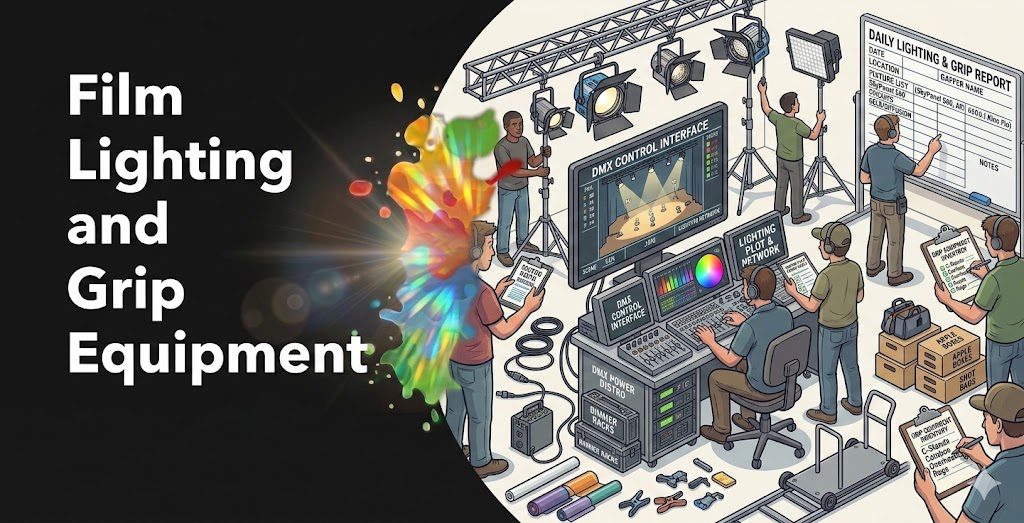
Grid design decisions—pipe height, load capacity, power distribution, and DMX universe planning—are structural and expensive to retrofit later, which is why lighting is typically the category studios most regret under-designing rather than the category they overspend on. A control console that can save and recall scene-specific lighting cues cuts changeover time between show formats from hours to minutes, which matters directly to a facility’s day-rate economics.
For guidance on the grip and lighting rental market outside a fixed studio context, see our breakdown in equipment rental services for independent producers.
What Role Do Switchers and the Production Control Room Play?
The production switcher is the routing brain of a TV studio, cutting between camera feeds, graphics, and playback sources in real time, and its I/O count and format support determine the ceiling on how many cameras and sources a studio can ever run simultaneously. Blackmagic Design’s ATEM line dominates the entry-to-mid tier of studio switchers on price, while Ross Video’s Carbonite and Ultrix Acuity systems and Grass Valley’s K-Frame and Maverik X platforms serve larger multi-studio and network-tier facilities (Ross Video, 2026; Grass Valley, 2026).
Grass Valley is actively expanding its software-defined and hardware-defined switching lines, with new platform announcements slated for IBC2026, signaling that the switcher category is shifting toward software-licensable capacity rather than fixed hardware I/O counts (TV Technology, 2026). That shift matters for procurement planning: a studio buying a software-licensable switcher today can scale channel count with a license key rather than a hardware swap, which changes the depreciation math in the studio’s favor over a five-year horizon.
Control-room monitoring—multiviewers, waveform monitors, and confidence displays—rounds out this category and is frequently underbudgeted relative to the switcher itself. A multiviewer that can’t display every camera and graphics source simultaneously forces a technical director to switch views mid-broadcast, which is an avoidable operational risk for the relatively small incremental cost of specifying a larger multiviewer up front.
Redundancy planning belongs in this category too. Network-tier studios typically spec a backup switcher path or a redundant power supply on the primary unit, because a switcher failure during a live broadcast is the single most visible equipment failure a studio can have—it takes the entire program off air rather than degrading one camera angle.
How Does Broadcast Audio Mixing Differ From Studio Recording?
Broadcast audio consoles from manufacturers like Calrec and Lawo are purpose-built for live, multi-source mixing under strict latency and redundancy requirements, which is a fundamentally different design brief than a music-recording console optimized for isolated overdub sessions. Calrec’s Argo and Apollo lines and Lawo’s mc² series are engineered around live fader automation, redundant power supplies, and integration with IP audio networks—features a studio needs when a single console failure could take a live broadcast off air (Calrec, 2026; Lawo, 2026).
Calrec and Grass Valley have also formalized partnerships around integrated audio-video workflows for live production, reflecting how tightly the audio and video signal chains now need to interoperate inside a modern control room. Studios running scripted, panel, or news formats also need comms/intercom systems (party-line or IP-based) and wireless microphone infrastructure, both of which are frequently bundled into the audio line item during budgeting but deserve separate vendor evaluation.
What Do Teleprompters and Talent-Facing Equipment Add to the Budget?
Teleprompters, talent monitors, IFB earpieces, and comms panels are the smallest line item in a studio budget by unit cost but the category most likely to cause an on-air failure if under-specified, since a single dead prompter or earpiece can stall a live broadcast in front of an audience. A standard studio prompter setup pairs a beam-splitter glass hood mounted on the lens with a reading monitor and software feed, and most multi-camera studios need one per active camera position rather than a single shared unit.
Comms infrastructure—party-line intercom or IP-based systems—lets the director, technical director, and floor manager coordinate in real time, and this is a category worth buying rather than renting even in a studio that rents almost everything else, because comms hardware rarely becomes obsolete and represents a small fraction of total spend relative to cameras or switchers. Studios that treat prompters and comms as an afterthought during budgeting are consistently the ones that discover, on their first live show day, that they under-bought headset channels or reading-monitor brightness for a bright studio floor.
Talent-facing equipment also includes floor monitors, cue-light systems, and clock/timer displays visible to on-camera talent—all inexpensive relative to the camera and switcher budget, but each one is a single point of failure if it’s the only unit on the floor with no backup.
Budgeting a spare unit for each talent-facing category—one backup prompter hood, one spare IFB pack, one redundant floor monitor—typically costs a few thousand dollars against a studio build that can run into six or seven figures overall, which is why experienced technical directors treat this line item as non-negotiable rather than optional.
What Is Virtual Production and Do You Need an LED Volume?
Virtual production uses an LED wall (an “LED volume”) displaying real-time rendered backgrounds instead of a green screen, and the global market for this technology is valued at $3.67 billion in 2026, projected to reach $7.75 billion by 2031 at a 16.12% CAGR (Mordor Intelligence, 2026). LED volume adoption specifically is growing at a 31.48% CAGR through 2031, even as green screen still holds roughly 45.55% market share as of 2025—meaning the two approaches will coexist for years rather than one displacing the other outright (Mordor Intelligence, 2026).
ROE Visual is one of the most widely deployed LED panel manufacturers for volume builds, and Brompton Technology’s Tessera processors (including the SQ200 and SX40) are a common pairing for color-managed, low-latency LED control in these installs (ROE Visual, 2026; Brompton Technology, 2026). Real-time rendering and camera-tracking is typically handled by a media server platform such as disguise, which the company states powers a large share of major live touring productions—a vendor claim worth noting as self-reported rather than independently audited (disguise, 2026).
North America holds roughly 40.55% of the global virtual production market as of 2025 (Mordor Intelligence, 2026), concentrating both demand and vendor density in that region. Not every studio needs an LED volume. Facilities running news, panel, or talk formats rarely see a return on the capital cost; the calculus flips for studios courting scripted, unscripted-with-VFX, or advertising clients who specifically shop for virtual production capability.
Why Are NDI and IP-Based Routing Replacing Legacy SDI?
NDI (Network Device Interface), now operated by Vizrt NDI AB, has built an ecosystem spanning more than 200 hardware and software brands, over 1 million hardware units sold, and more than 10 million software-based nodes deployed worldwide, making IP routing a proven alternative to point-to-point SDI cabling (NDI/Vizrt, 2026). Where legacy SDI requires a dedicated cable run and a router port for every signal path, NDI carries video, audio, and metadata over standard network infrastructure, letting studios add or reconfigure sources through software rather than a re-cabling job.
This matters for procurement because it changes what “future-proofing” means. A studio wired for SDI locks in its channel count at install; a studio built on an IP/NDI backbone can scale sources by adding network switch capacity and licenses, which is a materially cheaper expansion path. Lawo’s HOME and VSM platforms and Grass Valley’s AMPP are examples of the broader industry move toward software-defined, IP-native control layers rather than fixed hardware routers (Lawo, 2026; Grass Valley, 2026).
Most new-build studios today spec a hybrid: SDI for camera-to-switcher runs where latency and reliability are non-negotiable, and NDI/IP for graphics, playback, remote contribution, and lower-priority sources.
Migrating an existing SDI studio to IP is rarely a single weekend cutover. Most facilities run both standards in parallel for one to two production cycles while staff retrain on IP-based patching and monitoring, and while the studio validates that latency-sensitive paths (camera-to-switcher, in-ear talent monitoring) hold up under the new routing scheme before retiring the SDI backbone entirely. Studios that skip the parallel-run phase and cut over all at once are the ones most likely to discover a routing gap live, on air, rather than in a rehearsal.
Should You Buy, Rent, or Lease TV Studio Equipment?
Buy equipment that runs every production day (cameras, switchers, routing, lighting grid); rent equipment needed for occasional formats or short-term productions (specialty lenses, an LED volume for a single scripted run); and lease equipment that depreciates fast or needs frequent refresh cycles (media servers, high-end robotics)—the right mix depends on utilization rate, not sticker price. A camera used 250 days a year is typically cheaper to own within 18-24 months than to rent repeatedly; the same camera used 15 days a year rarely justifies ownership.
| Factor | Buy | Rent | Lease |
|---|---|---|---|
| Ideal for | Core, daily-use gear (cameras, switcher, grid) | Occasional formats, one-off builds (LED volume for a single shoot) | Fast-depreciating tech needing regular refresh (media servers, robotics) |
| Capital impact | High upfront, becomes an asset | Low upfront, ongoing opex | Spread over term, off/on balance sheet depending on structure |
| Maintenance burden | Owner’s responsibility | Rental house’s responsibility | Often bundled into lease terms |
| Obsolescence risk | Borne entirely by studio | Borne by rental house | Shared or transferred at lease-end |
| Effect on studio valuation | Adds tangible asset value | No asset value added | Partial, depends on lease type (capital vs. operating) |
Utilization rate is the variable that should actually drive the decision. Producers frequently anchor on purchase price alone and miss that a rented LED volume for a single scripted season can outperform a purchased one financially, precisely because the volume’s technology refreshes fast enough that a studio buying one today risks owning last-generation panels within three to four years.
Comparing equipment vendors and rental houses before you commit capital? Vitrina tracks verified suppliers across the production supply chain.
What Does a Full Studio Equipment Budget Look Like by Tier?
Studio equipment budgets scale by format complexity rather than square footage alone—a single-camera podcast-style studio and a multi-camera scripted stage of the same size can differ in equipment cost by an order of magnitude. A historical TV Technology analysis of broadcast facility construction estimated costs in the range of $250 to $500 per square foot depending on studio tier (news, sports, or master-control-grade); note that figure dates to 2010 and should be treated as directional, not current-dollar guidance (TV Technology, 2010).
| Studio Tier | Cameras | Switcher/Routing | Lighting | Virtual Production |
|---|---|---|---|---|
| Small (1-2 cam, podcast/panel) | Entry broadcast/mirrorless hybrids | Compact switcher (e.g., ATEM-class) | Fixed LED panel kit | None or green screen only |
| Mid (4-6 cam, news/talk) | Broadcast studio cameras, 1-2 robotic heads | Mid-tier production switcher + multiviewer | Full DMX grid, tunable LED fixtures | Optional small LED wall for graphics |
| Large (8+ cam, scripted/network) | Full broadcast camera chain + robotics | Network-tier switcher (e.g., K-Frame/Maverik-class), redundant routing | Motorized rigging, show-specific lighting design | Full LED volume with media server + camera tracking |
Tier assumptions also shift once a studio plans to rent stage time to outside productions rather than run a single in-house format. A multi-tenant facility needs enough switcher I/O headroom and lighting-grid flexibility to reconfigure between incoming productions quickly, which typically pushes even a “small” studio’s infrastructure spec closer to the mid tier described above, even if its camera count stays low.
Financiers reviewing a studio build budget should expect infrastructure (routing, power, HVAC for equipment heat load) to add materially to the line-item totals above the equipment purchase price itself—a category first-time studio operators consistently underestimate. For financing structures around this kind of capital outlay, see our guides on gap financing for film production and post-production financing options.
How Does Equipment Strategy Affect Studio Valuation and Financing?
Owned broadcast equipment appears as a tangible asset on a studio’s balance sheet and can be used as loan collateral, while rented or leased equipment generally does not—so a studio’s buy-vs-rent mix directly shapes what a lender or acquirer is willing to value the facility at. A facility with a fully owned camera chain, switcher, and LED volume presents a materially different risk profile to a lender than one that subcontracts every production day to rental houses, even if their day-rate revenue is identical.
This is also why equipment financing terms matter as much as the equipment specs themselves. A studio that leases fast-depreciating gear (media servers, robotics) while owning slow-depreciating core infrastructure (routing, lighting grid, structural rigging) tends to post a cleaner balance sheet than one that owns everything outright, because it avoids carrying obsolete assets at inflated book value. Financiers reviewing a studio acquisition should ask specifically which line items are owned, leased, or rented, and cross-check maintenance records—an unmaintained switcher or LED processor can be a liability disguised as an asset.
Depreciation schedules matter here too. Broadcast cameras, switchers, and routing infrastructure typically depreciate over five to seven years on a studio’s books, while LED processors, media servers, and camera-tracking software often warrant a shorter three-to-four-year schedule given how fast that technology segment moves. A studio financing model that applies a uniform depreciation schedule across every equipment category will misstate both current asset value and the capital reserve a facility actually needs to set aside for its next refresh cycle.
For a deeper look at how financiers assess a production company’s books more broadly, see production accounting standards financiers check, and for the mechanics of completion guarantees on capital-intensive builds, see how film completion bonds work.
What Criteria Should You Use to Evaluate Equipment Vendors?
Evaluate TV studio equipment vendors on five criteria beyond price: manufacturer support/warranty terms, format and protocol compatibility with your existing chain, spare-parts and service-turnaround time, installation track record at comparable studio tiers, and financial stability of the vendor itself. A switcher or LED processor that fails mid-broadcast with a two-week parts lead time is a bigger financial risk than a slightly more expensive unit backed by a vendor with regional service depots.
| Criterion | Why It Matters | What to Verify |
|---|---|---|
| Format/protocol compatibility | Prevents costly signal-chain mismatches | SDI/NDI support, genlock, resolution/frame-rate match |
| Service & parts turnaround | Determines downtime risk during live production | Regional depot locations, SLA terms |
| Installation track record | Reduces integration risk on complex builds | Reference installs at comparable studio tier |
| Vendor financial stability | Affects long-term support and firmware updates | Years in operation, ownership structure |
| Total cost of ownership | Purchase price alone hides lifetime cost | Licensing fees, firmware update costs, extended warranty pricing |
Producers sourcing production houses more broadly—beyond equipment—may also find our regional directory of production houses in APAC useful for cross-referencing vendor ecosystems, and financiers weighing a studio build against a broadcaster deal should see UK production finance and commissioning for how commissioning terms interact with capital planning.
Need a shortlist of vetted studio equipment vendors and rental houses for a build you’re financing? Vitrina’s supply-chain intelligence covers 100+ countries as of 2026.
How Does Vitrina’s Supply-Chain Intelligence Help Source Verified Vendors?
Vitrina maps the entertainment industry’s supply chain—including equipment vendors, rental houses, and studio infrastructure providers—across a database covering 300,000+ companies, 5 million+ professionals, and 100+ countries as of 2026, giving producers a way to vet a vendor’s track record before signing a purchase or rental agreement. That scale matters specifically in equipment procurement, where the cost of choosing an unreliable vendor is measured in lost air time, not just wasted budget.
For a studio operator comparing an LED volume integrator in one region against a switcher reseller in another, the practical question is rarely “which brand is best” in the abstract—it’s “which specific vendor, in this market, has delivered comparable installs on time and stayed in business long enough to honor the warranty.” Vitrina’s platform is built to answer that question with verified company and relationship data rather than marketing claims. As of 2026, Vitrina’s own platform data shows more than 30 million mapped industry relationships and upward of $200 billion in tracked annual production spend, which is the kind of transactional context that helps a buyer see whether a vendor has actually delivered studio-scale builds before, not just claimed to.
This is the direct extension of the equipment-sourcing problem covered in our companion pieces on camera equipment rental worldwide and equipment rental services for producers—both focused on mobile production gear rather than the fixed studio infrastructure this guide covers.
Procurement teams often run three separate sourcing tracks in parallel: one for core infrastructure vendors (routing, switching, lighting), one for specialty rental partners (LED volumes, robotics, short-term camera packages), and one for financing partners who need visibility into both before underwriting a build. Treating these as a single undifferentiated “equipment budget” line item is a common planning mistake—each track has a different risk profile, a different negotiation cycle, and a different reference-check process, and conflating them tends to slow down capital approval rather than speed it up.
Put together, these six categories and the sourcing tracks behind them form a single procurement roadmap rather than a shopping list. A producer building a mid-tier news studio and a financier underwriting a network-scale scripted stage are answering the same six questions—capture, control, light, sound, routing, and (sometimes) virtual production—just at different budget tiers and utilization rates. Getting the sequencing right, and matching each category’s buy-vs-rent-vs-lease decision to how often it will actually be used, is what separates a studio that scales cleanly from one that carries dead capital on its books within two years of opening.
Frequently Asked Questions
What is the most important piece of TV studio equipment to buy first?
Routing and control infrastructure, not cameras, should come first. Every other category—switcher, audio, lighting control—depends on a signal-routing decision (SDI vs. NDI/IP), and more than 200 brands now build to the NDI ecosystem standard (NDI/Vizrt, 2026), making it a safer long-term anchor investment.
Is it cheaper to buy or rent an LED volume for virtual production?
It depends on utilization. Given the virtual production market’s projected growth from $3.67 billion in 2026 to $7.75 billion by 2031 (Mordor Intelligence, 2026), panel technology is refreshing quickly, so studios running fewer than a handful of LED-volume productions per year typically come out ahead renting rather than owning.
How much does it cost to build a TV studio?
Historical broadcast facility cost data put construction in a range of roughly $250 to $500 per square foot depending on studio tier (TV Technology, 2010), though that figure is dated and should be adjusted for current construction and equipment pricing rather than used as a direct quote.
Does owning studio equipment improve a studio’s valuation?
Generally yes. Owned equipment shows up as a tangible, collateralizable asset on the balance sheet, which lenders and acquirers weigh differently than a facility that relies entirely on rented gear, even at identical revenue levels.
What’s the difference between SDI and NDI for a studio build?
SDI is a point-to-point cabled video standard requiring a dedicated router port per signal; NDI is an IP-based standard carrying video, audio, and metadata over standard network infrastructure, now used across an ecosystem of 200+ brands and 1 million-plus hardware units (NDI/Vizrt, 2026), making it easier to scale a studio’s channel count without new cabling.
How do I vet a TV studio equipment vendor before signing a contract?
Check format/protocol compatibility, service and parts turnaround time, installation track record at a comparable studio tier, and the vendor’s financial stability, ideally cross-referenced against a verified supply-chain database rather than the vendor’s own marketing claims.
Should a small studio invest in virtual production technology?
Not for every facility. Facilities running news, panel, or talk formats rarely see a return on LED volume capital cost; the investment case strengthens specifically for studios pursuing scripted, unscripted-with-VFX, or advertising clients who actively shop for virtual production capability.
Vitrina Supply-Chain Intelligence
Source Verified TV Studio Equipment Vendors
Vitrina tracks 300,000+ companies and 5 million+ professionals across the entertainment supply chain as of 2026—built for producers, financiers, and studio operators who need to vet a vendor before capital moves.
Related reading: when to hire a production finance manager · Patriot Pictures’ gap financing playbook · format rights vs. licensing rights.