About Innovation Hub
 Global Content Pulse (Webinars)


 Global Production Financing
(Webinars)
Global Production Financing
(Webinars)  LeaderSpeak Podcast
  Global Entertainment Digest (Newsletter)
  About Vitrina
 About VIQI
 Our Story
 Our Solutions 🔥
 Film+TV Projects Tracker 🚀
 Case Studies
 Our Profile
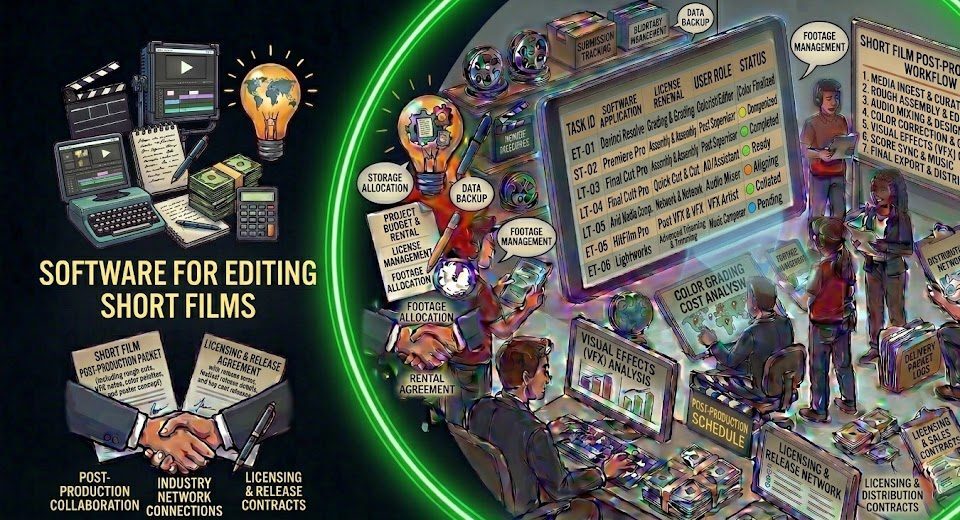
Choosing the right short film editing software for PC shouldn’t take three weeks of YouTube rabbit holes. But here’s the problem: most comparison guides are written for YouTubers or wedding videographers—not for filmmakers who need a tool that holds up through color grade, audio mix, and a final export that doesn’t get rejected at a festival DCP submission. The requirements are different. The stakes are different.
This guide covers the 5 best video editing programs for short films on Windows PC in 2026. What each one actually does well—and where it’ll frustrate you at 2am before a submission deadline. We’re not ranking by feature count. We’re ranking by what works on real productions, from micro-budget shorts to festival-circuit films targeting Netflix, Sundance, and international acquisitions.
In This Guide
- What Short Film Editors Actually Need From Their Software
- The Top 5 Short Film Editing Tools for PC—Ranked
- PC Specs: What You Actually Need to Edit Short Films Smoothly
- Building a Short Film Post-Production Workflow That Works
- After the Edit: Getting Your Short Film Distributed
- FAQ: Short Film Editing Software for PC
Find Post-Production Partners and Distributors for Your Short Film
Ask VIQI—Vitrina’s AI intelligence agent—to identify post-production studios, short film distributors, and acquisition-stage buyers for your project. Used by 140,000+ companies including Netflix, Warner Bros, and Paramount.
Ask VIQI About Post-Production Partners
200 free credits · No credit card required
What Short Film Editors Actually Need From Their Software
Short films have a specific technical profile that matters more than most hobbyist guides acknowledge. You’re typically working with RAW or LOG footage from cinema cameras—BRAW from a Blackmagic URSA, ARRI Log C from a Mini LF rental, or at minimum S-Log3 from a Sony FX3. That’s not the same as H.264 from a consumer camcorder. Your editing software needs to handle high-bitrate acquisition formats without choking.
Beyond raw format handling, there are three things that separate tools for serious short film production from tools for casual video editing:
- Professional color grading. Festival-circuit shorts need a proper grade—not a filter. Your editing app either handles node-based or layer-based color professionally, or you’re exporting to a separate grading tool and adding a step to your pipeline.
- Export format flexibility. DCP (Digital Cinema Package) delivery for theatrical screenings, H.264 for online festival submissions, ProRes for broadcaster delivery—your tool needs to handle these natively or through clean third-party codec support.
- Audio mixing capability. Short films live and die on their sound design. An editor that forces you to bounce your timeline to a separate DAW for every audio revision is costing you hours per session.
- Timeline stability on long sessions. A 15–25 minute short film on a PC with mixed codec media can crash unstable editors. This is where the free tools start to separate from the professional-grade ones.
The Top 5 Short Film Editing Tools for PC—Ranked
1. DaVinci Resolve 19 — The Best Overall Choice for Short Films
No hesitation here. DaVinci Resolve is the most capable editing and post-production platform available at any price—and the free version does 95% of what most short film productions need. The Studio version at $295 one-time adds noise reduction, AI tools, and Dolby Vision mastering. But start with free. It’s what the pros use.
What makes Resolve the right call for short films specifically: it’s the only tool that puts a professional color science engine—the same one used on Hollywood features—directly in your edit timeline. There’s no export-to-grade step. You cut in the Cut or Edit page, grade in the Color page, mix audio in Fairlight, and add VFX in Fusion. Everything’s in one application. That workflow removes 2–4 hours of file management per post-production session compared to a multi-app pipeline.
Best for: All short film productions, especially those working with LOG footage or targeting festival/theatrical release. PC requirements: 16GB RAM minimum, 32GB recommended; NVIDIA or AMD GPU with 8GB+ VRAM for 4K; NVMe SSD storage strongly advised. Pricing: Free (DaVinci Resolve) / $295 one-time (Studio).
2. Adobe Premiere Pro — Still the Industry Workflow Standard
Adobe Premiere Pro runs more professional post-production workflows globally than any other NLE. Not because it’s technically superior to Resolve—it isn’t, on grading. But because it sits inside the Adobe Creative Cloud ecosystem alongside After Effects, Audition, and Photoshop. For short film producers who need motion graphics, complex VFX compositing, or nuanced audio work across multiple applications, that integration is genuinely valuable.
The trade-off is the subscription model: $59.99/month for the full Creative Cloud suite, or ~$22.99/month for Premiere alone. Over a 12-month production cycle that’s real money for a micro-budget short. But if your post workflow requires After Effects—and most visually ambitious shorts do—the full CC plan is the more rational purchase. Best for: Filmmakers already in the Adobe ecosystem, shorts requiring heavy After Effects compositing, producers working with editors who are CC-native.
3. Vegas Pro 21 — The Overlooked Windows-Native Option
Ask any European indie film editor over 35 and Vegas Pro will come up. It’s been a Windows-first NLE since 1999, and it still has a genuinely loyal professional user base—particularly in markets where Avid and Premiere aren’t the default. Vegas Pro handles multicam editing cleanly, has a surprisingly deep audio engine (its roots are in audio software), and the timeline interaction model suits editors who prefer a flatter, track-based approach over Premiere’s panel-heavy layout.
The honest limitation: the color grading tools have historically lagged behind Resolve. Vegas Pro 21 improved this with better HDR support and a more capable color panel, but it’s still not the choice if your grade is a priority. Best for: Windows-centric workflows, editors who prefer the Vegas timeline model, short films where audio complexity is high and color demands are moderate. Pricing: ~$399 one-time (Vegas Pro 21 perpetual).
4. Avid Media Composer — When You’re Cutting for Broadcast or Festival Circuit
Avid Media Composer is the NLE that cut The Revenant, Roma, and most of what you’ve seen on HBO. It’s not the obvious choice for short films—but if your short is specifically targeting broadcast acquisition or you’re cutting as part of a professional assistant editing role, Avid fluency is a career asset that pays dividends beyond this one project.
The interface is notoriously unforgiving to newcomers. The subscription pricing (~$24.99/month or ~$999/year) is harder to justify for a solo short film. But if you’re building toward a career as a professional editor on long-form content, the Avid First free tier is the most overlooked free editing tool in the market—it’s the full Avid interface with a 15-track limit. Use it to learn the platform while you’re cutting short form. Best for: Aspiring professional editors, shorts targeting broadcast acquisition, anyone building toward long-form editorial careers.
5. Kdenlive — The Capable Free Option That Actually Works
On a zero-budget short where the edit has to happen on whatever PC is available, Kdenlive is the answer. It’s open-source, free, actively maintained, and handles mixed format timelines including ProRes, BRAW proxies, and H.265 without the codec licensing costs that plague other free tools. The interface isn’t glamorous. The color tools are basic. But it’s stable, it exports clean, and it won’t cost you a licensing fee you can’t afford.
The realistic ceiling: Kdenlive isn’t the tool you’re using on a short that needs a professional grade or complex audio work. It gets you through the assembly and rough cut stage reliably. For anything beyond that, you’re pairing it with a separate grading tool—or switching to Resolve entirely, which is free anyway. Best for: Zero-budget productions, early-career filmmakers, rapid-turnaround edits where cost is the binding constraint. Pricing: Free, open source.
Ramy Katrib, CEO of DigitalFilm Tree, discusses how post-production infrastructure and collaboration tools are evolving for independent filmmakers and boutique production teams globally:
Discover Post-Production Studios for Your Short Film
Vitrina maps 140,000+ verified post-production vendors globally—color studios, sound mixers, DCP packagers, and short film distributors. Find the right partners for your production’s stage and budget.
Get 200 Free Credits — Start Now
No credit card required · Cancel anytime
PC Specs: What You Actually Need to Edit Short Films Smoothly
Software choice and hardware reality need to match. Here’s the minimum viable spec for editing a short film on PC without constant proxy workarounds, and the recommended spec for a smooth native-resolution workflow.
Minimum Viable Spec (Proxy workflow, HD/2K delivery)
- CPU: Intel Core i7-10th gen / AMD Ryzen 7 5000 series or newer
- RAM: 16GB (absolute floor—budget 32GB if you can)
- GPU: NVIDIA RTX 3060 / AMD RX 6700 XT with 8GB VRAM minimum
- Storage: 500GB NVMe SSD for OS and project files; spinning disk acceptable for archive media only
- Display: IPS panel, 1080p minimum—but a color-calibrated display matters more than resolution for grading work
Recommended Spec (Native 4K, DaVinci Resolve with Fusion)
- CPU: Intel Core i9 / AMD Ryzen 9 7000 series (12+ cores)
- RAM: 32GB minimum; 64GB recommended for 4K BRAW or ARRI material
- GPU: NVIDIA RTX 4070 Ti / RTX 4080 with 12–16GB VRAM
- Storage: 1TB+ NVMe for active projects; separate fast NVMe or RAID array for media
- Display: Color-calibrated 4K IPS or OLED; a hardware calibration tool like X-Rite i1Display Pro adds $200–$300 and is worth it for serious grade work
One thing that catches people off guard: DaVinci Resolve on Windows GPU-accelerates almost everything through CUDA (NVIDIA) or OpenCL (AMD). But certain features—particularly Noise Reduction and Magic Mask—perform 3–5x faster on NVIDIA cards than AMD equivalents due to Blackmagic’s CUDA optimization. If you’re buying hardware specifically for Resolve, NVIDIA is the more rational choice.

Your AI Assistant, Agent, and Analyst for the Business of Entertainment
VIQI AI helps you plan content acquisitions, raise production financing, and find and connect with the right partners worldwide.
- Find active co-producers and financiers for scripted projects
- Find equity and gap financing companies in North America
- Find top film financiers in Europe
- Find production houses that can co-produce or finance unscripted series
- I am looking for production partners for a YA drama set in Brazil
- I am looking for producers with proven track record in mid-budget features
- I am looking for Turkish distributors with successful international sales
- I am looking for OTT platforms actively acquiring finished series for the LATAM region
- I am seeking localization companies offer subtitling services in multiple Asian languages
- I am seeking partners in animation production for children's content
- I am seeking USA based post-production companies with sound facilities
- I am seeking VFX partners to composite background images and AI generated content
- Show me recent drama projects available for pre-buy
- Show me Japanese Anime Distributors
- Show me true-crime buyers from Asia
- Show me documentary pre-buyers
- List the top commissioners at the BBC
- List the post-production and VFX decision-makers at Netflix
- List the development leaders at Sony Pictures
- List the scripted programming heads at HBO
- Who is backing animation projects in Europe right now
- Who is Netflix’s top production partners for Sports Docs
- Who is Commissioning factual content in the NORDICS
- Who is acquiring unscripted formats for the North American market
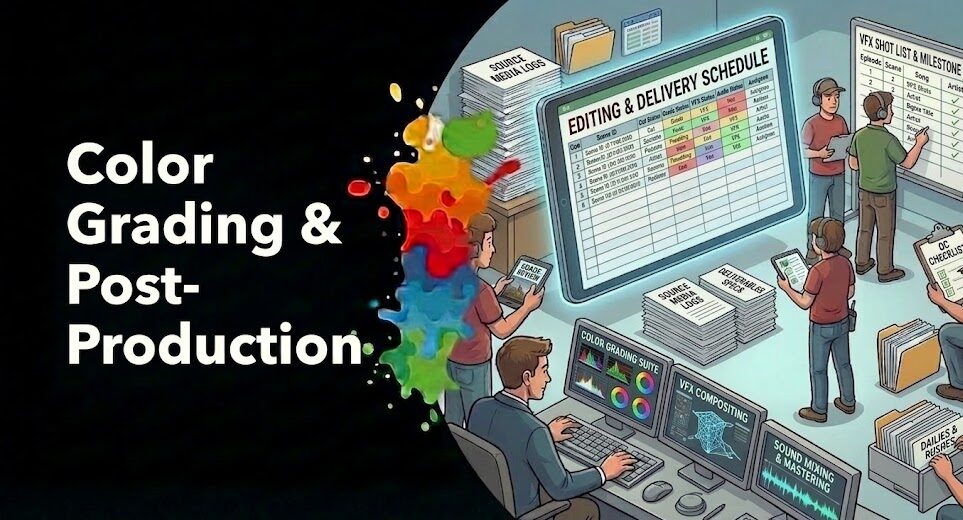
Building a Short Film Post-Production Workflow That Works
The editing software is only one piece. What separates a clean post workflow from a chaotic one—especially when multiple people are touching the project—is structure. Here’s the workflow that holds up on short film productions:
- Ingest and organize first. Don’t start editing on raw camera files from your primary card. Copy media to a working drive, verify checksums, and organize by scene and day before you open your NLE. This step saves 4–6 hours of confusion later on a 10-day short film.
- Generate proxies if you’re on minimum spec. DaVinci Resolve’s built-in proxy workflow is excellent—it generates H.264 or H.265 proxies automatically and switches back to full-res for export. Don’t fight your hardware. Use proxies.
- Lock picture before you grade or mix. This is the rule that amateur editors break most often. Color grading and audio work done before picture lock gets thrown away when the cut changes. Lock the cut. Then grade. Then mix.
- Export deliverables in parallel. Festival submissions typically require: H.264 web screener, ProRes or DNxHD broadcast master, DCP for theatrical venues. Plan your export queue before delivery week—not during it.
For a deeper look at how post-production workflows are evolving across the industry, Vitrina’s guide on post-production workflow management covers how studios from boutique houses to major facilities are structuring their pipelines in 2026.
After the Edit: Getting Your Short Film Distributed
Here’s the part nobody wants to hear: finishing the edit is the beginning of the hard work, not the end. Short film distribution is a genuinely fragmented market—and the Fragmentation Paradox hits hard here. There are over 3,000 short film festivals worldwide, dozens of streaming platforms acquiring short content, and a growing number of broadcasters building short-form programming slots. Most filmmakers know 10–15 of those options. That’s the problem.
Vitrina tracks active acquisition by short film platforms, festival programmers, and broadcasters in real time. The short film project tracking guide on Vitrina’s blog covers exactly how producers use the platform to identify which distributors and buyers are actively acquiring in their genre right now—not just listed in a directory that was updated two years ago.
And if you need verified post-production company partners to complete your film—colorists, sound mixers, DCP packagers—Vitrina’s network of 140,000+ verified vendors surfaces them by territory, specialization, and production credit history. No cold calls. No directory roulette.
Connect With Short Film Buyers and Post-Production Partners
Vitrina’s Concierge team builds curated shortlists of verified distributors and post-production partners for your short film—filtered by genre, territory, and active acquisition status. Used by productions targeting Netflix, Mubi, and international festival circuits.
Request a Curated Partner List
No commitment required to start
FAQ: Short Film Editing Software for PC
The Bottom Line on Short Film Editing Software for PC
Start with DaVinci Resolve. It’s free, it’s what professional colorists use anyway, and it handles everything from assembly cut to final DCP delivery in a single application. If your workflow needs After Effects, add Premiere. If you’re building toward a broadcast editing career, learn Avid on the side. But don’t spend money on a second-rate tool when the best option in the market has a free tier.
And remember—the edit is step one of a much longer journey. Getting your short film in front of the right distributors, festivals, and acquisition buyers is where most independent filmmakers lose momentum. That’s an intelligence problem. Vitrina’s built specifically to solve it.
Key Takeaways
- DaVinci Resolve is the best overall choice for short film editing on PC—free version covers 95% of what most productions need, with professional color grading built in.
- Adobe Premiere Pro wins for After Effects-heavy workflows; the $23–$60/month subscription is only worth it if your post pipeline requires the full Creative Cloud suite.
- 32GB RAM + NVMe SSD + NVIDIA GPU with 8GB+ VRAM is the sweet spot for smooth 4K short film editing—proxies are a must below this spec.
- Lock picture before you grade or mix—this single workflow rule eliminates the most common source of wasted post-production hours on short films.
- Post the edit isn’t the finish line—use Vitrina’s 140,000+ vendor network to find verified post-production partners and distributors who are actively acquiring short film content in your genre.
Find Post-Production Partners and Distribution for Your Short Film
Join 140,000+ companies using Vitrina to discover verified vendors, active buyers, and real-time acquisition intelligence globally. Start with 200 free credits—no credit card required.
Get 200 Free Credits — Discover Partners Now
Or Work With Our Concierge Team →
No credit card required · Cancel anytime
Find Film+TV Projects, Partners, and Deals – Fast.
VIQI matches you with the right financiers, producers, streamers, and buyers – globally.
Producers Seeking Financing, Co-Pros, or Pre-Buys?
Vitrina Concierge helps producers reach the right financiers, commissioners, distributors, and co-production partners — with precision outreach, not cold pitching.
Join Industry Briefings Trusted by Leaders

Format Adaptations: Global Trends
Where formats are traveling, which adaptations are breaking out, and how streamers are backing remakes in 2025–2026.

Books, Novels & Comics Adaptations: Global Trends
Books, webtoons, and manga driving the next global screen hits. Discover how in this webinar.

Micro-Dramas & Mobile-First Storytelling
Micro-dramas are building real audiences and revenue. Understand the platforms, buyers, and economics behind the growth.

Navigating Global Content Licensing Trends
How global content licensing is shifting beyond flat fees to flexible, deal-driven models.